Repairs and the bench
Repairs & Bench (under Operations) is the workshop's home screen. Every device in for service is a ticket that moves from drop-off to pickup.
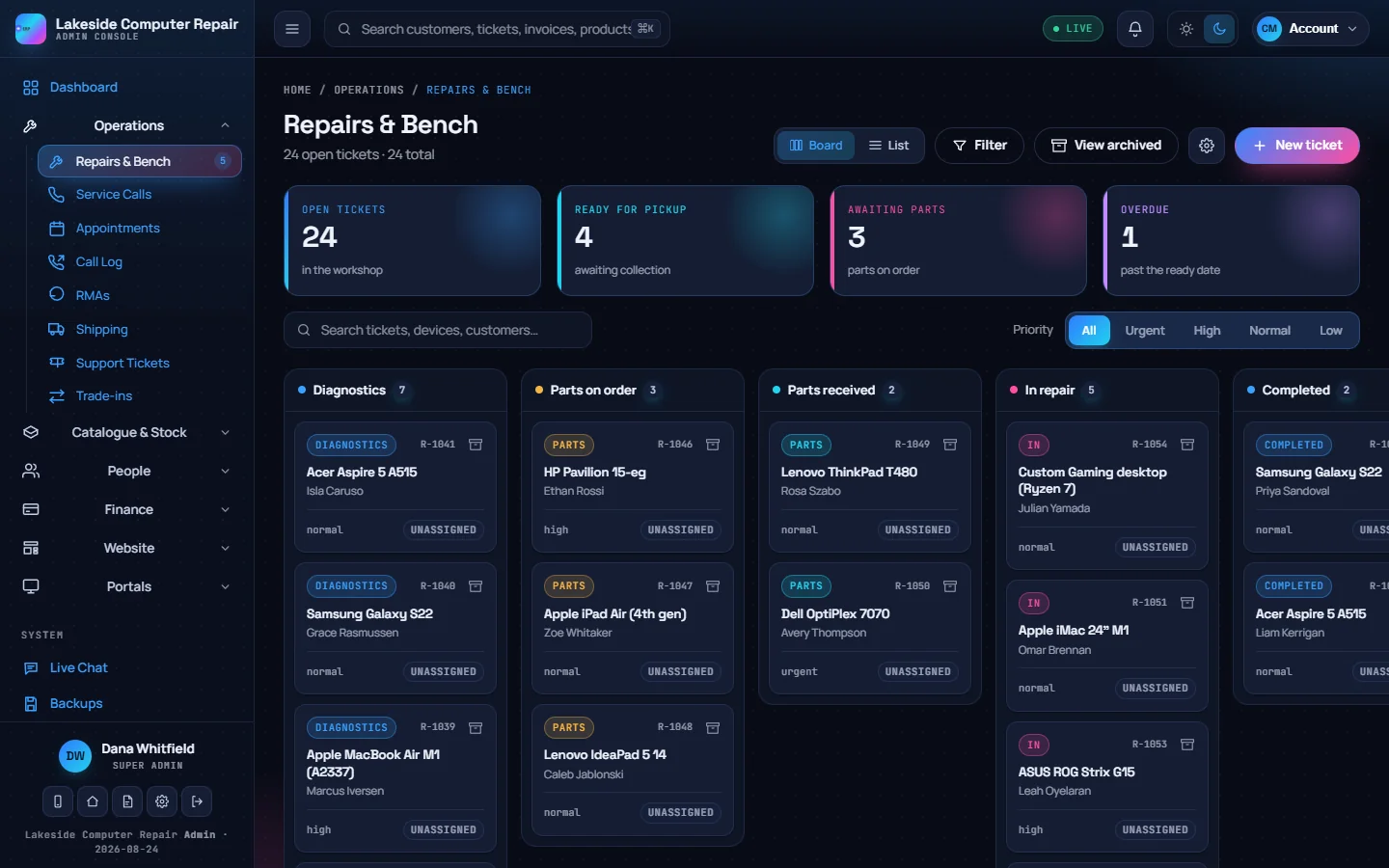
The board
Switch between Board and List at the top. The board has one column per stage:
| Stage | Meaning |
|---|---|
| Diagnostics | Checked in, waiting to be assessed |
| Parts on order | Parts ordered, waiting for delivery |
| Parts received | The parts have arrived |
| In repair | Work in progress |
| Completed | Repair finished |
| Ready for pickup | Waiting for the customer |
| Pending payment | Waiting for payment |
Above the board, four counters show open tickets, tickets ready for pickup, tickets waiting on parts and tickets past their ready date. Search by ticket number, device or customer, filter by stage, or pick a priority (urgent, high, normal, low).
Archive a ticket once the device is collected. It leaves the board but stays in the system; View archived brings closed tickets back into view.
Booking a device in
Click New ticket:
- Set the priority.
- Link an existing customer by name, phone or email, or type new details and a customer record is created when you save.
- Enter the make, model and serial, or pick one of the customer's saved devices.
- Enter the device password or PIN if the technician needs it. It is stored encrypted and hidden behind a reveal button.
- Flag Requires data backup if the customer's files must be backed up before work starts.
- Record accessories left with the device, and take before photos.
- Assign a technician, set an estimated ready date, a quoted price and any deposit.
- Click Create repair. Print label prints a bench label with the ticket number, customer and device.
Settings & Secrets › Repairs can make the passcode, the data-backup answer and the accessories record required at intake. It also holds the ticket prefix and numbering, the default warranty, turnaround targets and your rates.
Moving a ticket along
Drag a card to another column, or open the ticket and pick a stage in the status list. Both save straight away.
By default a repair cannot move into In repair until the customer has approved the quote. Settings & Secrets › Repairs › Quote approval before repair offers three modes: always require approval, only above a dollar threshold, or not required. The customer approves on their tracking page, or a staff member ticks Customer approved the quote after a phone call.
Diagnostics, services and parts
- Diagnostics: pick a checklist (suggested from the device type) and mark each check pass, fail or not applicable, with a note. Edit the checklists in Repair settings.
- Services needed: attach services from your catalogue. They drive the estimate.
- Parts and materials: for each part record the supplier, what you paid, what you charge, the quantity, and whether it is ordered and received. Default markup, the diagnostic fee, the bench labour rate, the minimum labour charge and the intake deposit percentage come from Repair settings.
- Extra work: something else found mid-repair is added with a price and sent to the customer to approve or decline before you continue.
- Work notes keep the history of the job. With an AI provider connected, the ticket can draft an internal triage note and a customer message about the quote.
Bench time logged on the ticket feeds the job profitability report.
Status messages
When a ticket is created and when it reaches diagnostics, ready for pickup and done, the customer is emailed. These emails use your email templates and only start once you have saved the templates there, so review the wording and save them before you go live. With texting set up and auto-notify ticked on the ticket, the customer also gets a text when the ticket is received, when parts are ordered and when it is ready. See SMS, phone, shipping, AI and more.
Payment and pickup
Take deposits and payments on the ticket, or ring up the balance at the point of sale with the Add repair tile. Payments taken against a ticket are held as customer deposits in the books until the work is done. Set the pickup date, record the repair warranty in days, and archive the ticket.