Business profile and white-label
CVN ERP has no product branding of its own on the screens your staff and customers see. Your business details are entered once and every part of the app reads them.
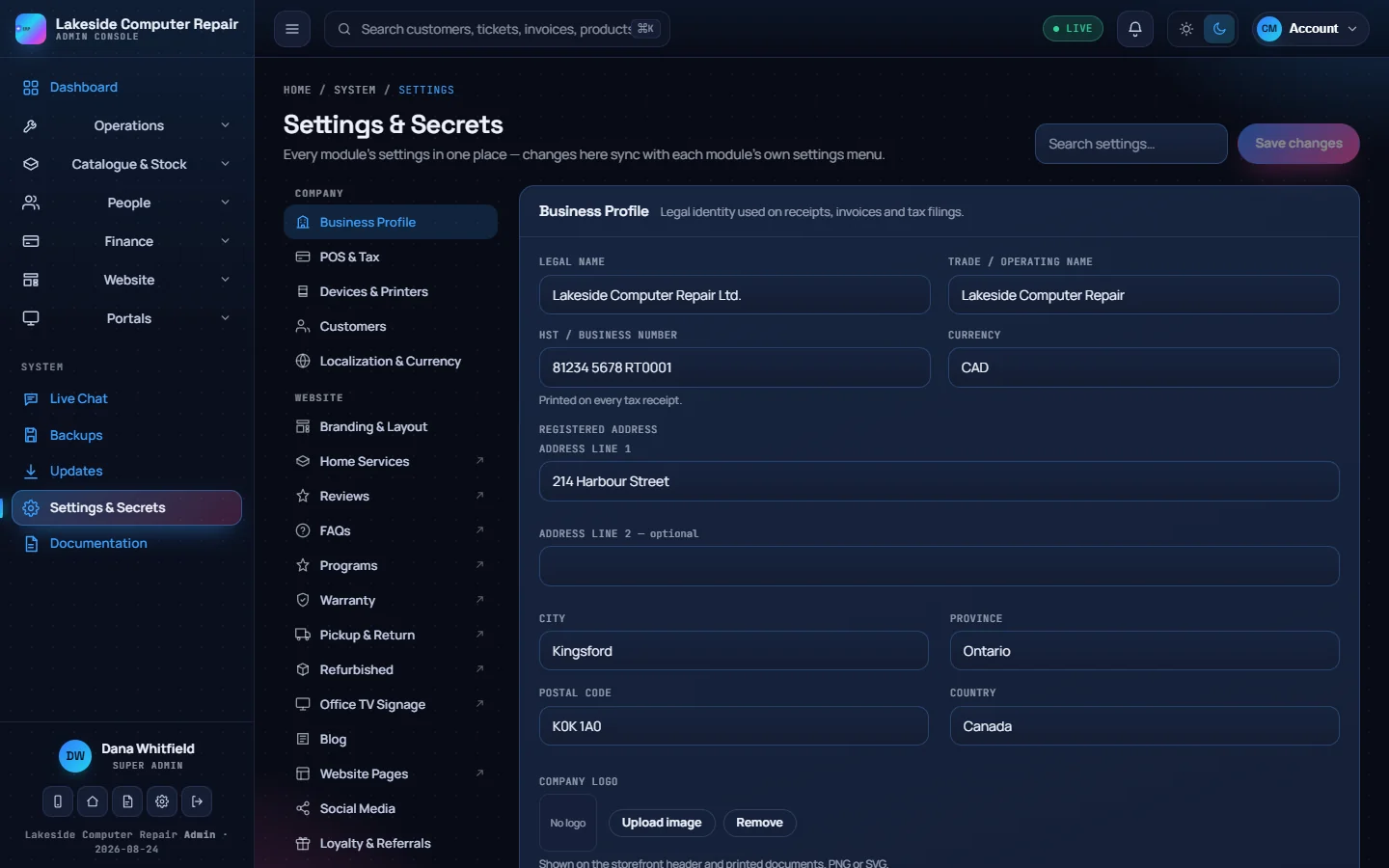
Business profile
Open Settings & Secrets › Business Profile:
- Legal name and trade / operating name.
- HST / business number, printed on every tax receipt.
- Currency.
- Registered address, split into lines, city, province, postal code and country.
- Company logo, shown on the storefront header and printed documents. PNG or SVG.
These details fill the {{business.*}} merge fields in your document and email templates, so a change of address or phone number updates every receipt and email at once.
White-label
The White-label part of the same section controls the admin console itself:
- Software name and console tagline, shown in the sidebar and on the sign-in page.
- App / console logo.
- Hide the "Powered by" line.
Your website's look
Settings & Secrets › Branding & Layout holds the brand accent colour, the home page hero text, an announcement banner, your public phone, email and address, business hours and social links. The page builder's Theme tab controls the header, footer and site colours. See Website builder and blog.
Localization
Localization & Currency sets the timezone, date format, first day of the week and currency symbol used across the app.
Where your name appears
- The admin console, the client portal, the employee portal and the repair tracker.
- Receipts, invoices, quotes and trade-in documents.
- Every email the app sends.
- Your public website and online store.