FEATURES
Everything in CVN ERP
Everything below ships in the one licence. There are no add-on modules and no per-user fees.
Repairs and service
-
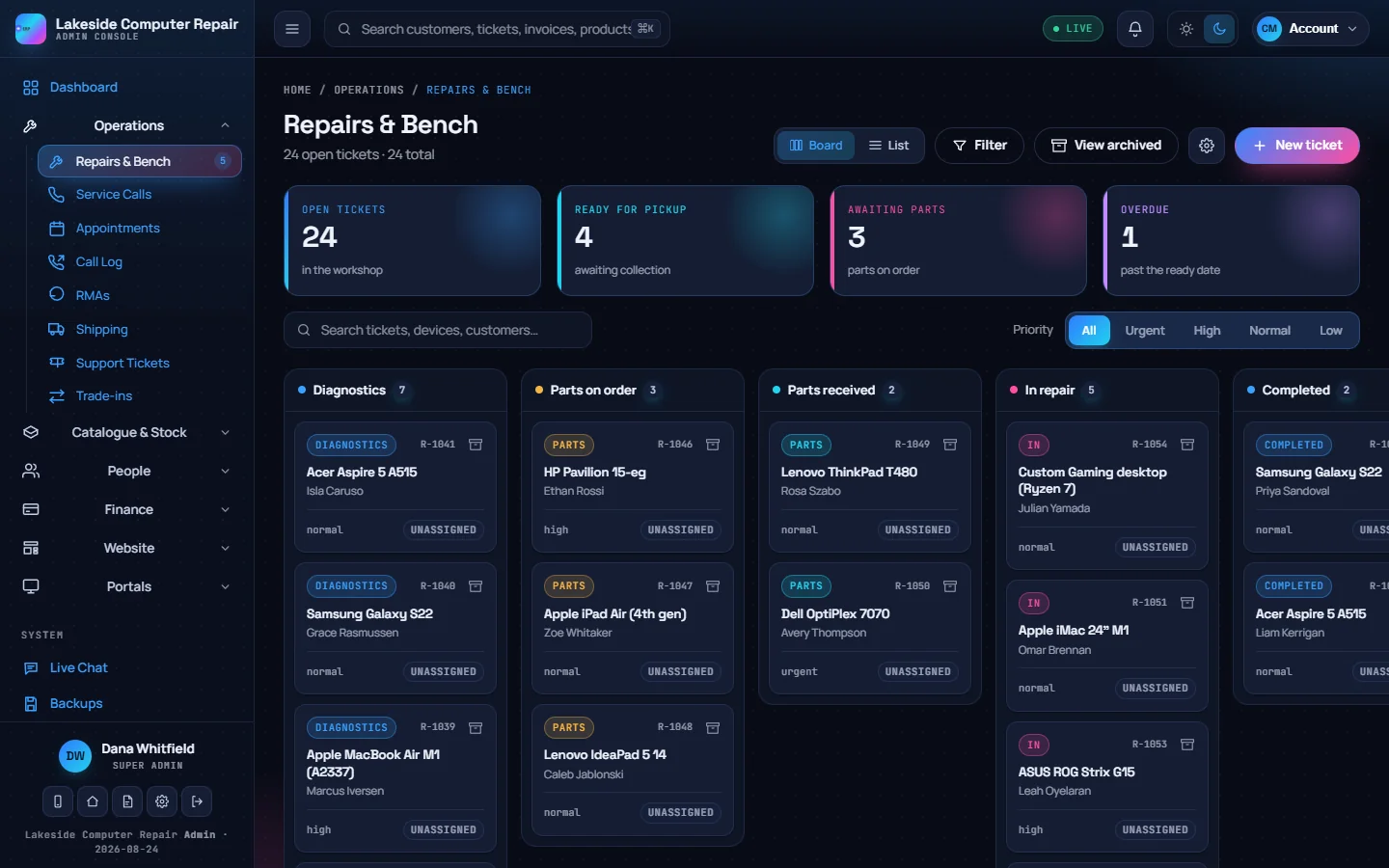
Repair board
Tickets move across diagnostics, parts on order, parts received, in repair, completed, ready for pickup and pending payment. Drag a card or set the stage on the ticket.
-
Intake
Customer and device details, the device passcode (encrypted at rest), accessories left with the device, before photos and a data-backup flag.
-
Quotes and approval
Repair work can wait for the customer's approval: always, only above a set amount, or not at all. Extra work found mid-repair goes back to the customer first.
-
Diagnostics, parts and labour
Diagnostic checklists per device type, parts with what you paid and what you charge, and bench time for job profitability.
-
Service calls
On-site visits on a map, calendar or list, with a technician, time window, reminders, site photos and the customer's signature at sign-off.
-
RMAs, warranty claims and tickets
Returns to suppliers and customer warranty claims share one workflow. A help desk handles questions that are not a device on the bench.
Point of sale
-
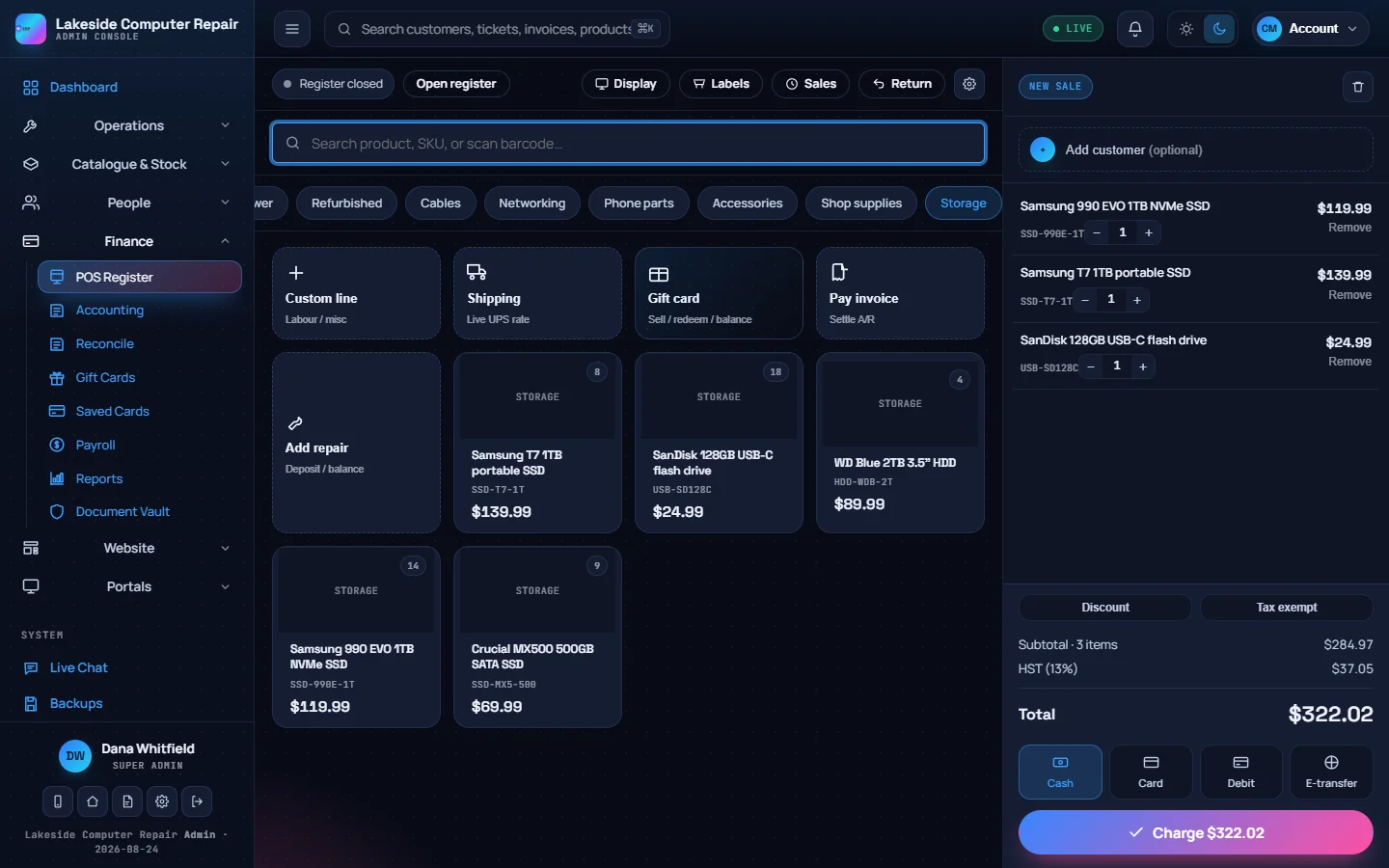
Register
Product tiles by category, barcode and SKU search, custom lines, shipping, gift cards, invoice payments and repair deposits or balances.
-
Tenders and change
Split payments across cash, card, debit, e-Transfer and gift cards, with change worked out and optional cash rounding to the nickel.
-
Registers and Z-reports
Open a till with a float and close it with a counted Z-report that shows any variance.
-
Returns and manager PIN
Full or partial refunds with restocking. Voids, refunds, price overrides and large discounts can require a manager PIN.
-
Counter hardware
Barcode scanners, receipt printers with a cash drawer, Code 128 label printing and a second-screen customer display.
-
Card terminals
Square Terminal, using your own Square account. Without one, card tenders are recorded as a manual amount.
Inventory and purchasing
-
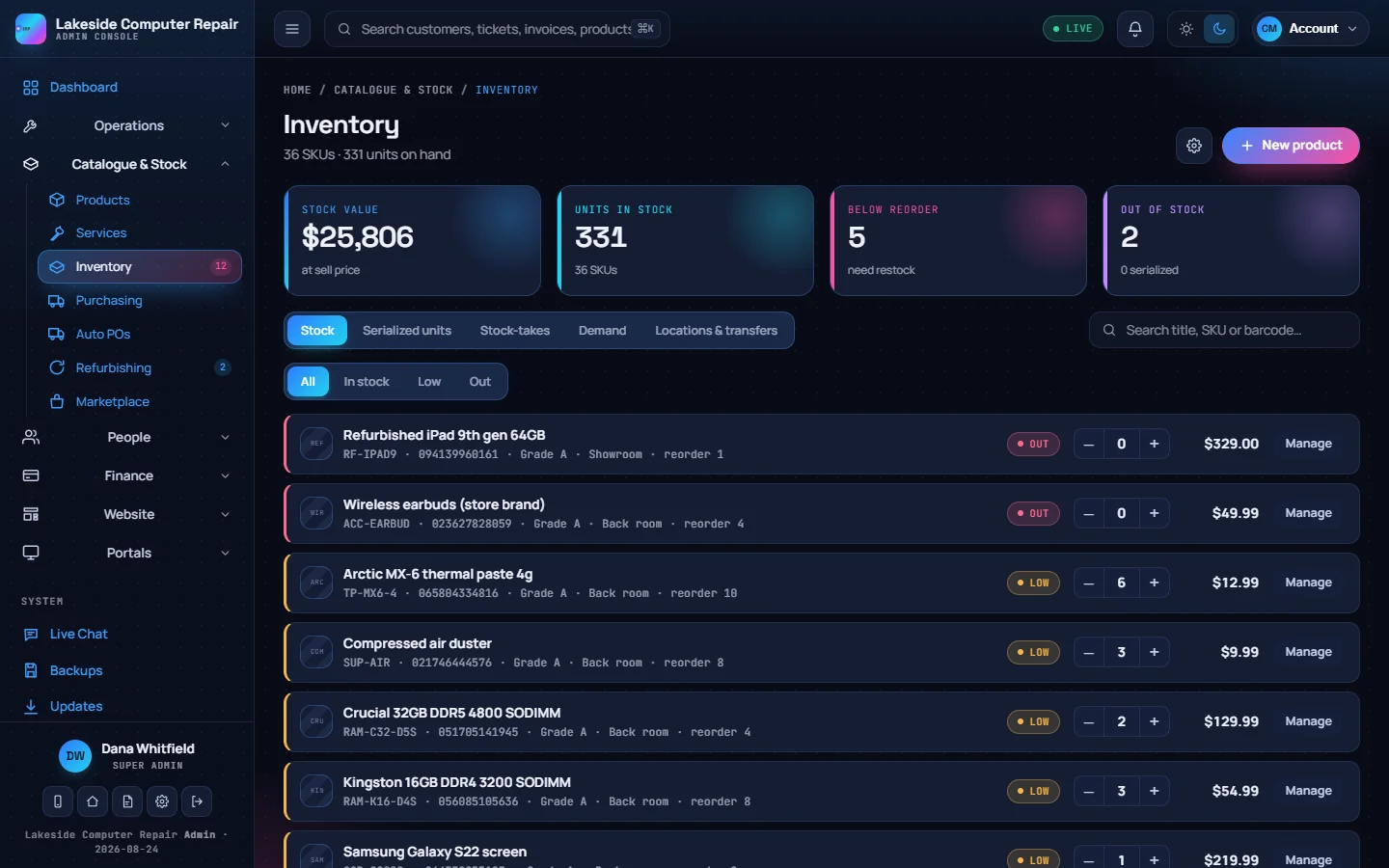
Stock levels
On-hand counts, reorder points and a movement log for every change, whether it came from a sale, a refund or a manual adjustment.
-
Serials and stock-takes
Track individual units by serial number, and run physical counts that write the counted quantities back to stock.
-
Demand and auto POs
Sales velocity and days of cover per product. Low stock can raise draft purchase orders grouped by supplier.
-
Purchase orders
Orders from draft to sent, receiving and received, with suppliers, expected dates and totals.
-
Locations and transfers
Split stock across two or more locations and move it between them.
Refurbishing and trade-ins
-
Trade-ins
Requests arrive from your website and the client portal. Set a cash or store-credit offer and email the customer as the status changes.
-
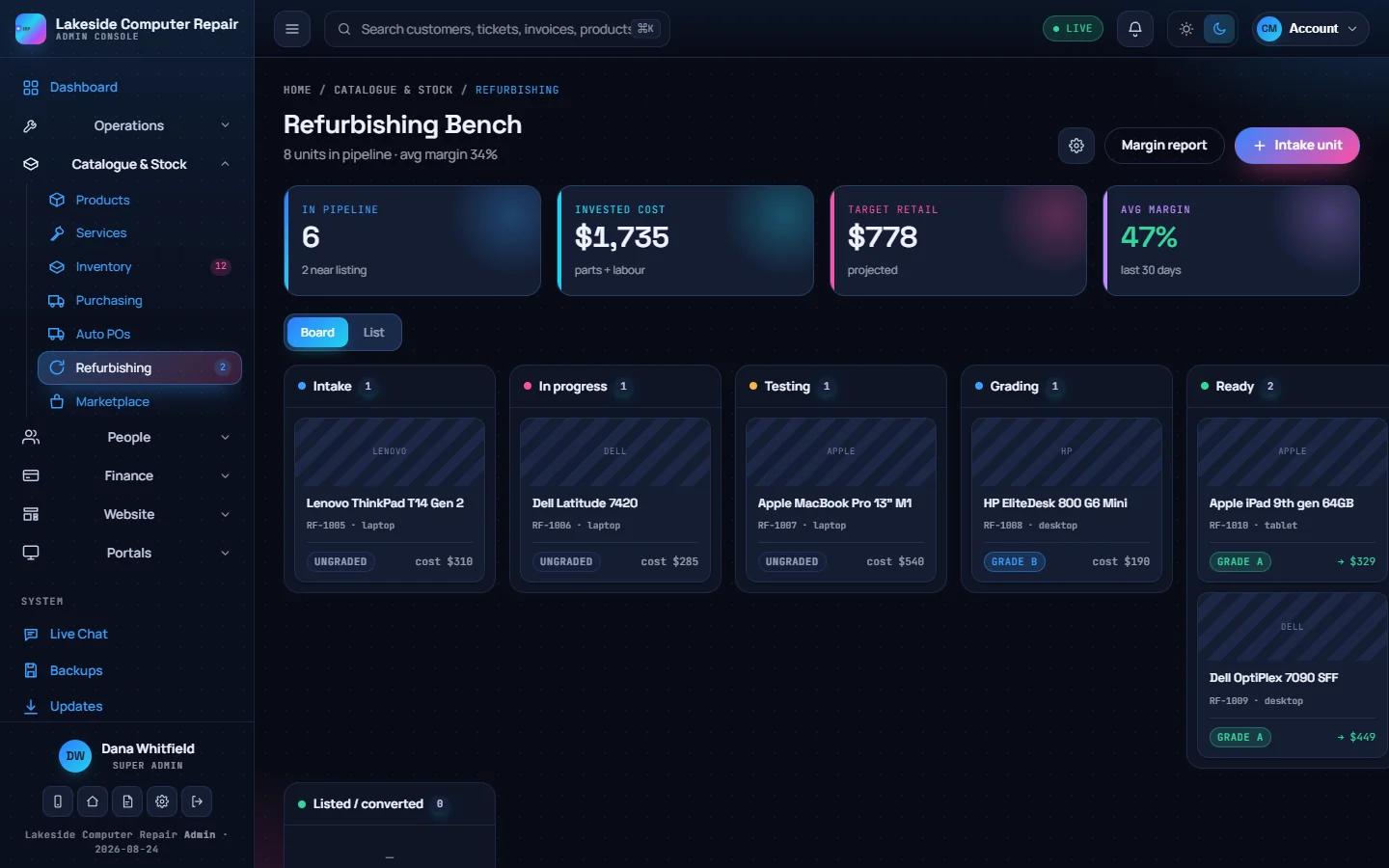
Refurbishing bench
Units move through intake, testing, grading and ready, with a checklist, a test bench and a cosmetic grading rubric.
-
Job costing
Acquisition cost, parts and labour give the landed cost and a suggested price at your target margin.
-
List it
Convert a finished unit into a product for your store. Listings can also go to eBay and Facebook with your own developer credentials.
Accounting and payroll
-
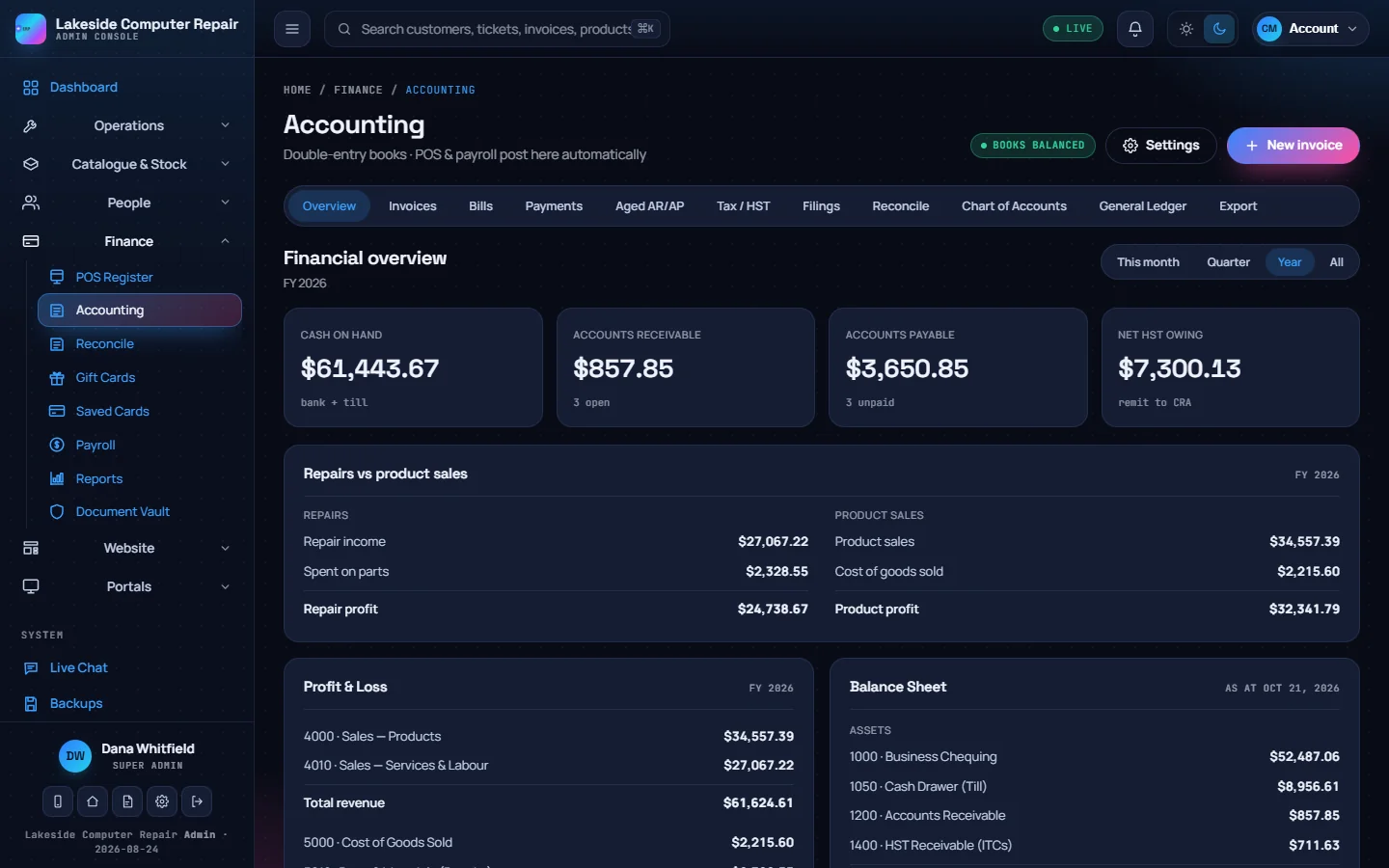
Double-entry books
POS sales, invoices, bills and pay runs post balanced journal entries automatically. Deposits sit as a liability until the job is paid.
-
Receivables and payables
Invoices with payment terms, bills with input tax credits, and aged AR and AP.
-
Tax and reconciliation
An HST or GST return worked out from the ledger, a filing calendar, and bank reconciliation against your statement.
-
Payroll
Pay runs with CPP, CPP2, EI and federal and Ontario income tax, pay stubs, PD7A remittances, T4 slips and records of employment.
-
Exports and sync
CSV exports for QuickBooks and Xero, or a direct connection to QuickBooks Online or Xero that sends new journal entries.
-
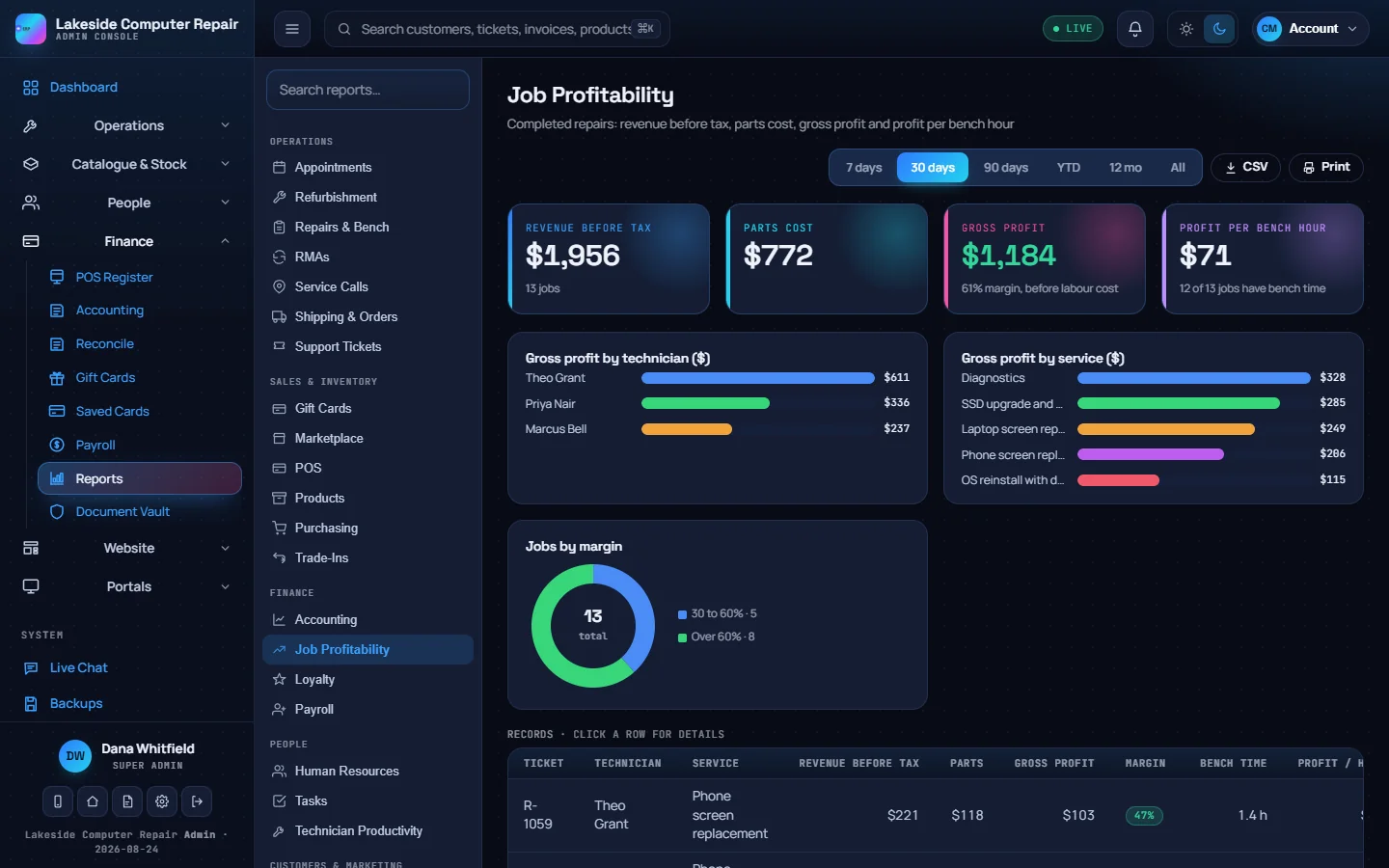
Job profitability
Revenue, parts cost and gross profit per completed repair, by technician and by service.
Customers and marketing
-
Customer profiles
Each customer's repairs, invoices, POS sales, devices, calls and notes, with lifetime value and open balance.
-
Loyalty and referrals
Points from paid invoices, tiers, redemption for store credit, and a referral tracker.
-
Reviews and campaigns
Review requests after a repair closes, segments, email and SMS campaigns, and automations such as a post-repair follow-up.
-
Gift cards
Issue, email, redeem and void gift cards, with the outstanding balance tracked as a liability.
-
Calls and texts
A call log matched to customers, click-to-call through a Yeastar phone system, and texts through Twilio, Telnyx or Yeastar.
-
Reports
A reporting console across operations, sales, finance, people and marketing, with date ranges, CSV export and print.
Your website and online store
-
Page builder
Build pages from blocks, edit text in place and preview on desktop, tablet and phone. Header and footer changes publish separately.
-
Online store
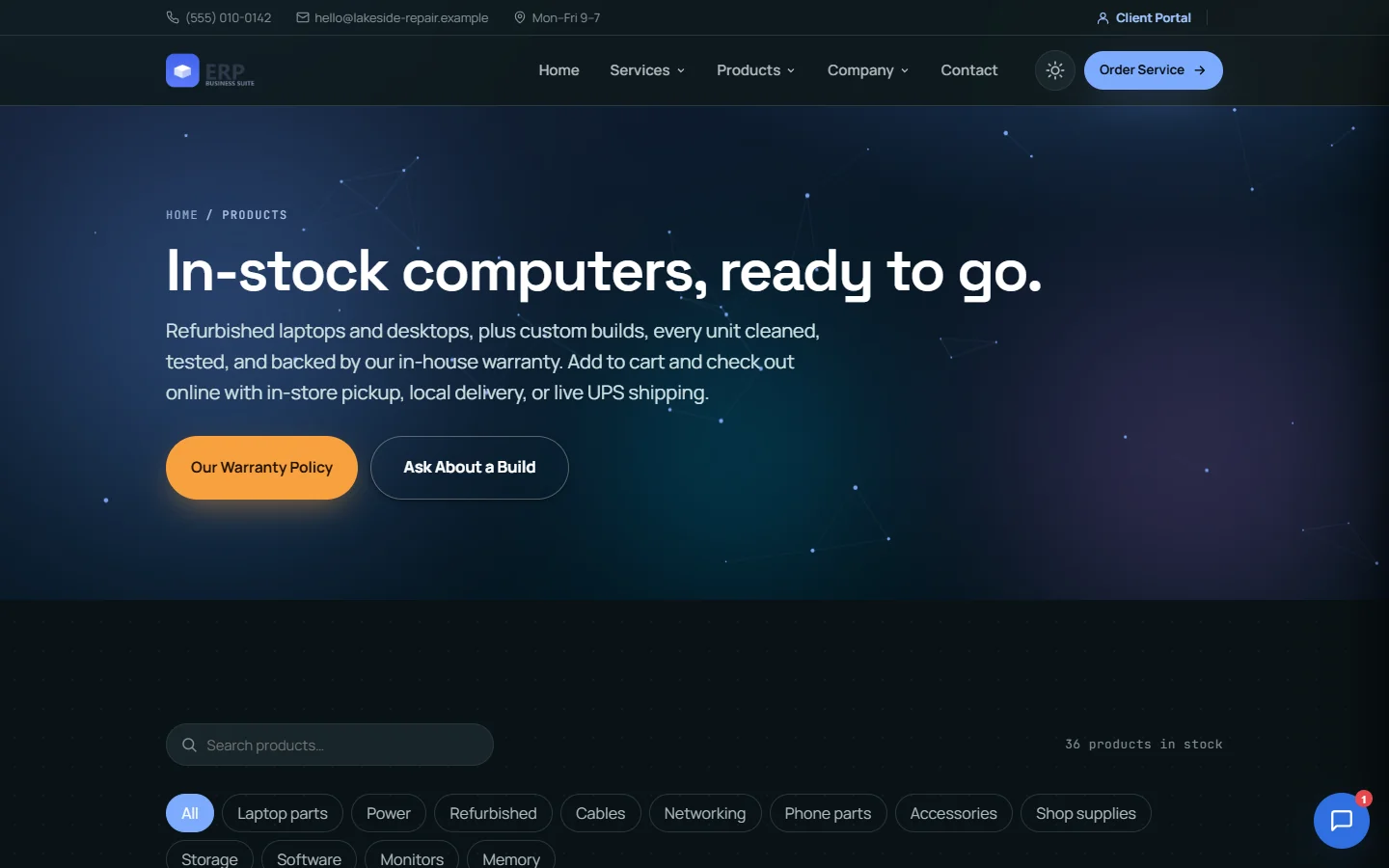
In-stock products with checkout, in-store pickup, local delivery or UPS shipping with live rates and labels.
-
Booking and sell-a-device
Customers book appointments and request a trade-in estimate from your site. Requests land in the admin console.
-
Blog and newsletters
Posts with categories and scheduled publishing, product and blog alert subscribers, and newsletters.
-
Live chat
A chat widget with departments, an optional AI assistant and an agent console. A chat can become a support ticket.
-
First-party analytics
Page views recorded in your own database, with no third-party trackers.
Customer and staff portals
-
Repair tracker
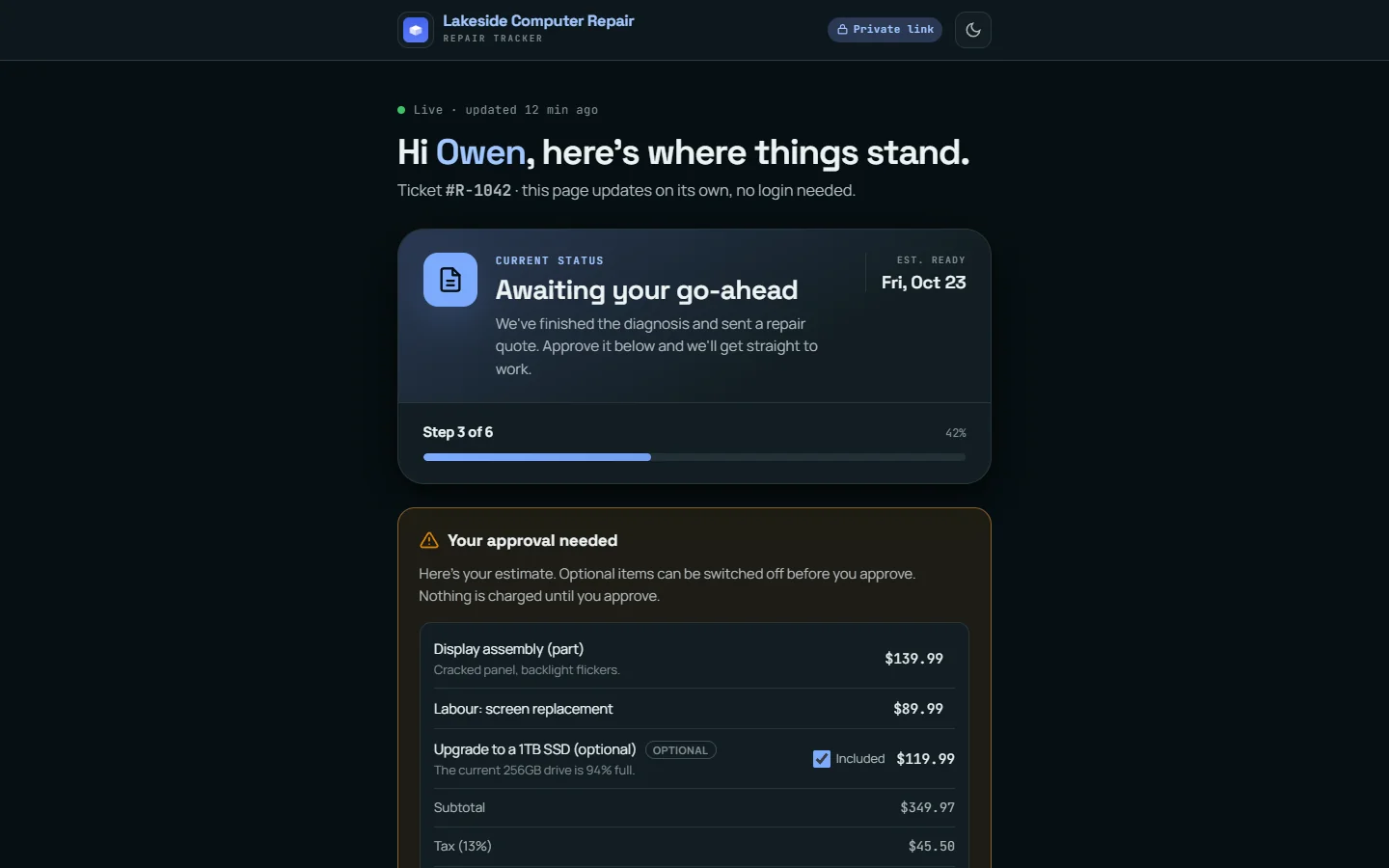
A private link per ticket, no login needed. The customer sees each stage, approves the estimate, chooses optional items and messages the shop.
-
Client portal
Customers sign in to see invoices and pay online, approve quotes, book appointments, file warranty claims and check loyalty points.
-
E-signatures
Send a document for signature by email. The customer signs by drawing or typing, and the signed copy is filed in the document vault.
-
Employee portal
Staff see their schedule, submit timesheets, request time off, read payslips, take training and work their tasks.
Staff and HR
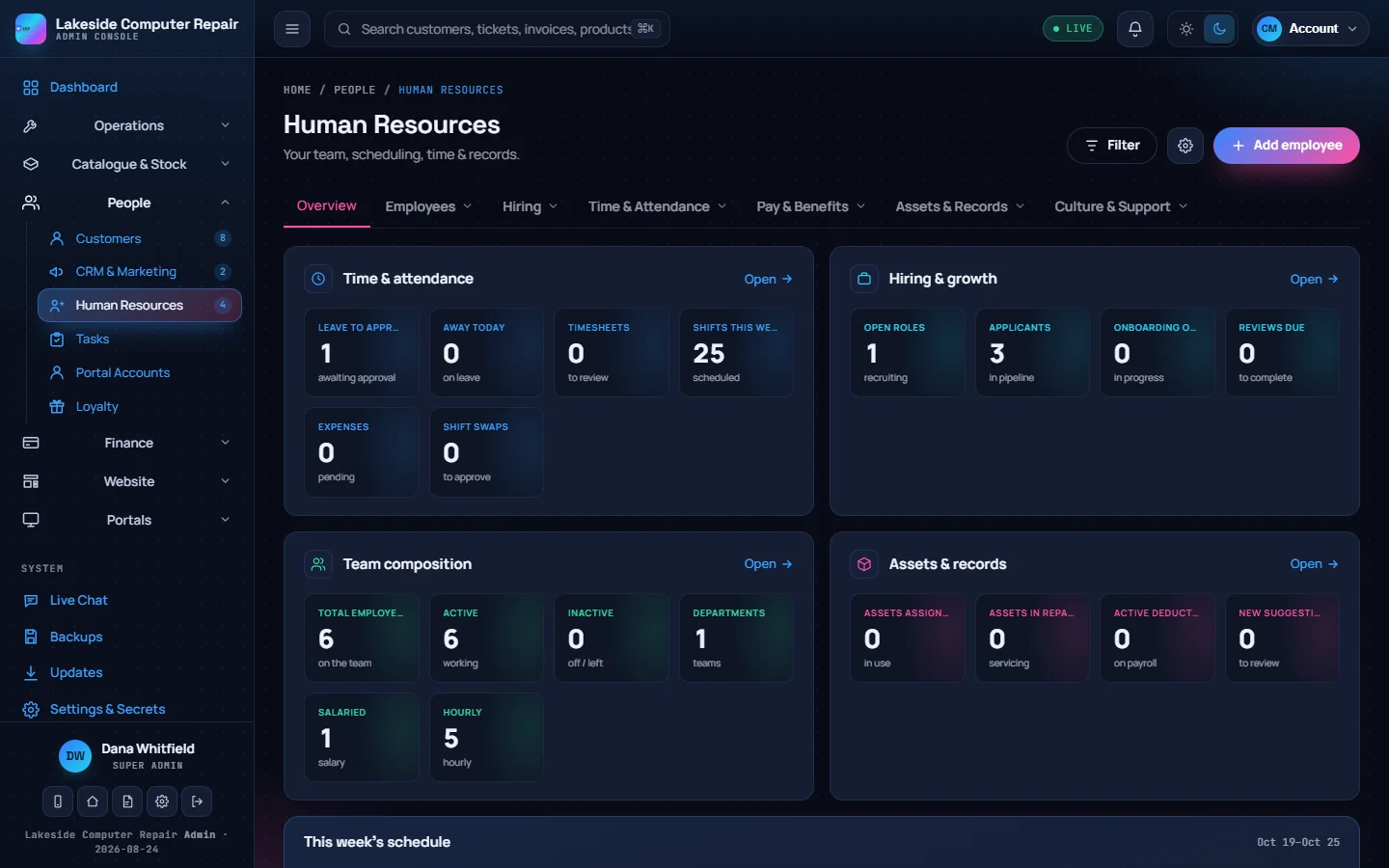
-
Directory and roles
Departments, an org chart, and roles with none, view, edit or full access per module.
-
Scheduling and time off
A weekly rota, timesheet approval, shift swaps, and time-off requests with yearly balances.
-
Hiring and training
Open positions, a candidate pipeline, onboarding checklists, and courses with quizzes graded on the server.
-
Records
Company equipment, documents that staff acknowledge, the handbook and an internal knowledge base.
Security
-
Sign-in
Two-factor sign-in with an authenticator app, passkeys, and a PIN for quick sign-in on a remembered device.
-
Audit log
An append-only record of who viewed or changed customer and staff data. The database refuses edits and deletes to it.
-
Secrets vault
Integration keys are stored encrypted in your database, masked after saving and never sent to the browser.
-
Encrypted backups
Scheduled database backups, encrypted before they leave the server for Google Drive, OneDrive or S3-compatible storage.
White-label
-
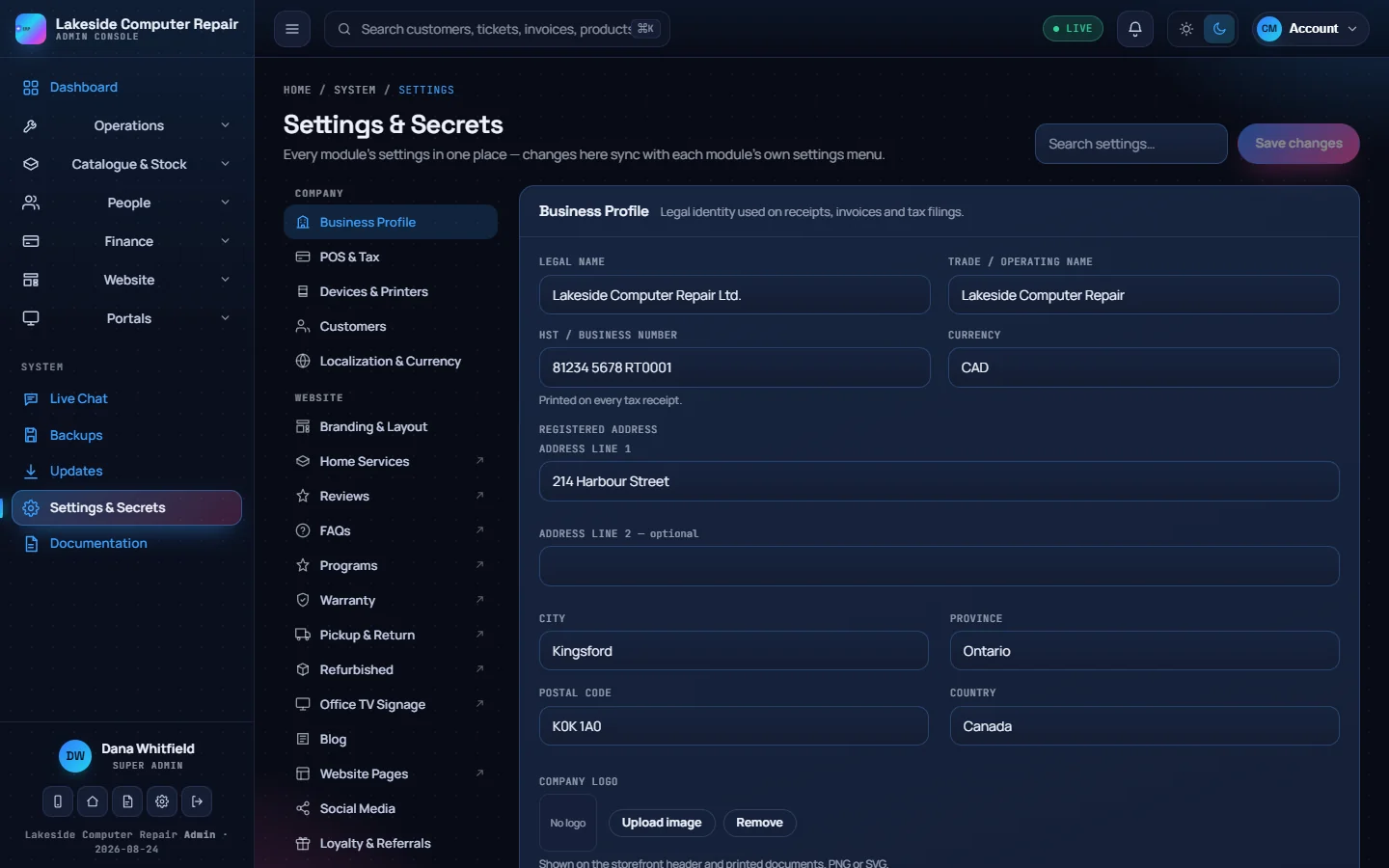
Business profile
Legal and trade names, tax number, address, logo, currency and locale, set once and used everywhere.
-
Documents and emails
Receipt, invoice, quote and trade-in templates and every customer email are block-built, with merge fields for your details.
-
Attribution
A setting hides the "Powered by" line.
Integrations and API
-
REST API
Scoped API keys with rate limits, IP allow-lists and expiry dates. Operational records are read-write; finance and content are read-only.
-
Payments
Square for in-store terminals, online checkout and invoice payment links, through your own account. A Stripe webhook records Stripe payments and their fees in the books.
-
Email and shipping
Any SMTP service for receipts, invoices and campaigns. UPS for live rates and shipping labels.
-
AI with your own key
Anthropic or OpenAI with your own API key, or a local model through Ollama, for chat replies, notes and price suggestions.
Also from CVN Technologies
More CVN software
Every CVN product is self-hosted, paid for once and carries your brand.
-
CVN PSA
If your shop also looks after business clients on contract, CVN PSA runs the help desk, SLAs, dispatch, contracts and billing for that side of the work.
Visit CVN PSA -
MSP Backups
Encrypted, multi-tenant backup for MSPs, with agents for Windows, macOS, Linux and Proxmox and storage you control.
Visit MSP Backups
CVN ERP is launching soon.
one price · yours forever · 1 year of updates and support included · renew for more