Accounting
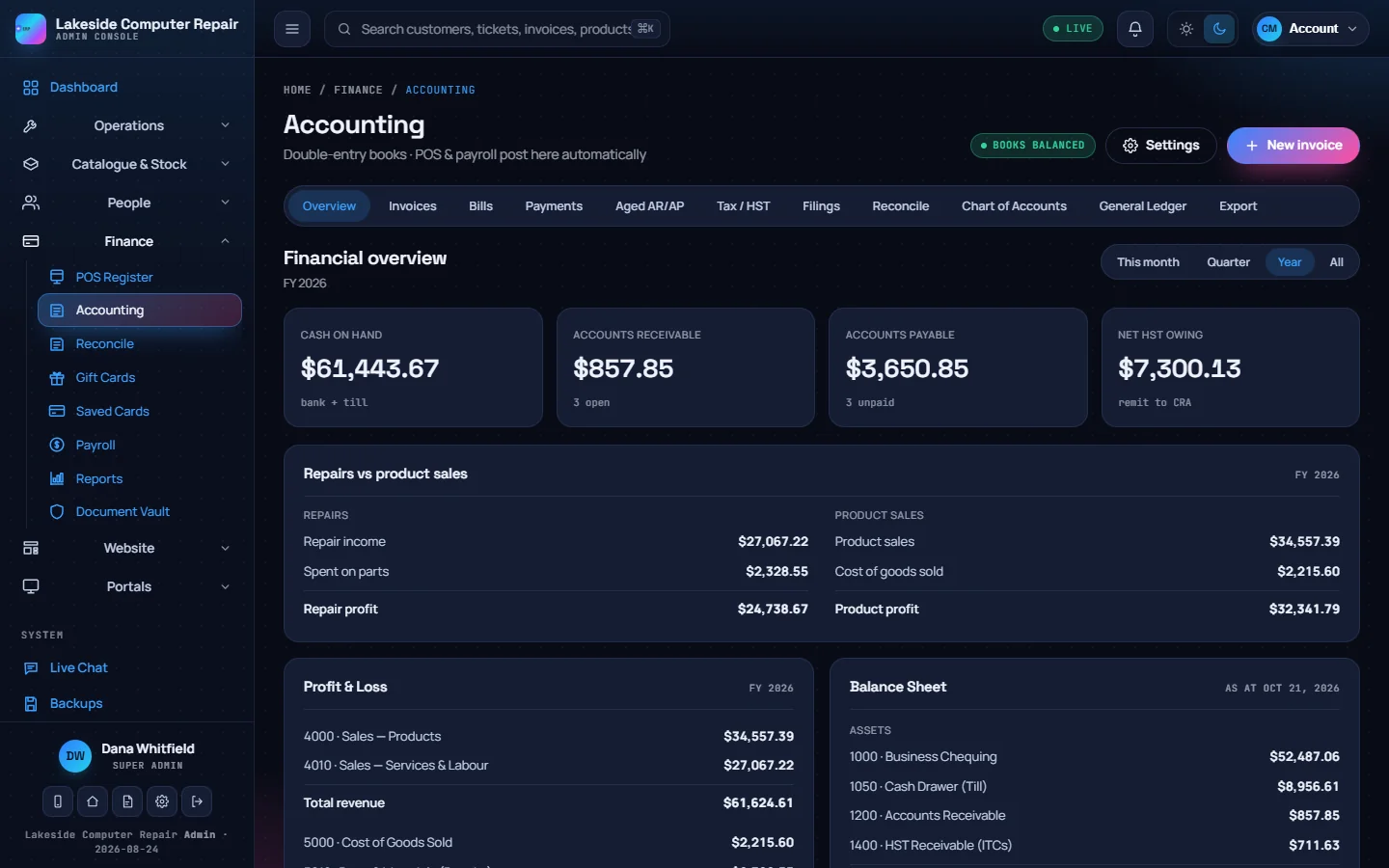
Accounting (under Finance) keeps a full set of double-entry books. Most of it fills itself in as you sell, get paid and pay staff.
What posts automatically
- POS sales: each sale posts one balanced entry with product and service revenue, the tax collected, any discount and the cash or card account it landed in. Refunds post the reverse.
- Deposits: money taken before a job is finished is held as a Customer Deposits liability and only becomes revenue when the sale is settled.
- Invoices: sending an invoice posts the receivable, the revenue and the tax. Recording a payment moves it from receivables to the bank or till.
- Bills: a bill posts the expense, the input tax credit and the payable. Paying it clears the payable.
- Pay runs: committing payroll posts wages, deductions and employer costs. See Payroll.
The pill beside the title reads Books balanced when every entry's debits equal its credits.
The tabs
| Tab | What it holds |
|---|---|
| Overview | Cash on hand, receivables, payables, net tax owing, profit and loss and the balance sheet |
| Invoices | Money customers owe you, with payment terms and overdue flags |
| Bills | Money you owe suppliers |
| Payments | Every payment taken: POS, online checkout and invoice payments, with card fees |
| Aged AR/AP | Receivables and payables by age |
| Tax / HST | Tax collected, input tax credits and the net amount to remit or claim |
| Filings | Your filing calendar and history |
| Reconcile | Tick postings off against your bank statement |
| Chart of Accounts | The accounts entries post to |
| General Ledger | Every entry in date order, with manual journal entries |
| Export | CSV files for your accountant |
Invoices and bills
- New invoice: pick or create the customer, add lines, choose terms (due on receipt, net 7, 15, 30 or 60) and confirm the tax rate. An unpaid invoice past its due date is flagged overdue automatically. Record payment takes a full or partial payment into the account the money went to.
- New bill: the vendor, the expense account, the lines, dates and the tax you paid. You can attach the supplier's receipt and, with an AI provider connected, have the details read from it. Mark paid records the payment.
Tax
The Tax / HST tab works out the return for a period from the ledger: tax collected on sales, input tax credits from bills, and the net. Record as filed logs the return; Export summary downloads it. The tax label and rate are set once and used by the POS, receipts and invoices. The tax engine and line numbers follow Canadian GST/HST; elsewhere, set your own label and rate.
Bank reconciliation
Pick a bank or cash account and tick each posting that appears on your statement. You can upload the statement to work from. When the difference reads $0.00, the account is reconciled.
Chart of accounts
Accounts follow the usual ranges: 1000s assets, 2000s liabilities, 3000s equity, 4000s revenue and 5000s expenses. Load a template adds a Canada (CRA) or USA (US GAAP) chart without overwriting accounts you already have. System accounts used by automatic posting cannot be renumbered or deleted.
Manual journal entries
In General Ledger, click Manual journal entry, add lines in the debit or credit column until the difference is $0.00, and post. An entry that does not balance cannot be posted.
Settings
Settings on this page covers your legal name and tax number, currency, fiscal year start, filing reminders, invoicing defaults, default accounts, and posting rules: accrual or cash accounting, cash rounding to the nearest $0.05, and Enforce balanced double-entry on save, which refuses any save that would add an unbalanced entry.
If two people edit the books at once, the second save is refused with a "changed on another device" message instead of overwriting the first.
Your accountant
The Export tab produces UTF-8 CSV files for the selected period: chart of accounts, trial balance, the general journal in Xero and QuickBooks formats, sales invoices and bills. To send entries straight to QuickBooks Online or Xero instead, use Settings & Secrets › Accounting Sync. See SMS, phone, shipping, AI and more.