SELF-HOSTED · YOUR DATA, YOUR SERVER
Run your repair shop and store from one system, on your own server.
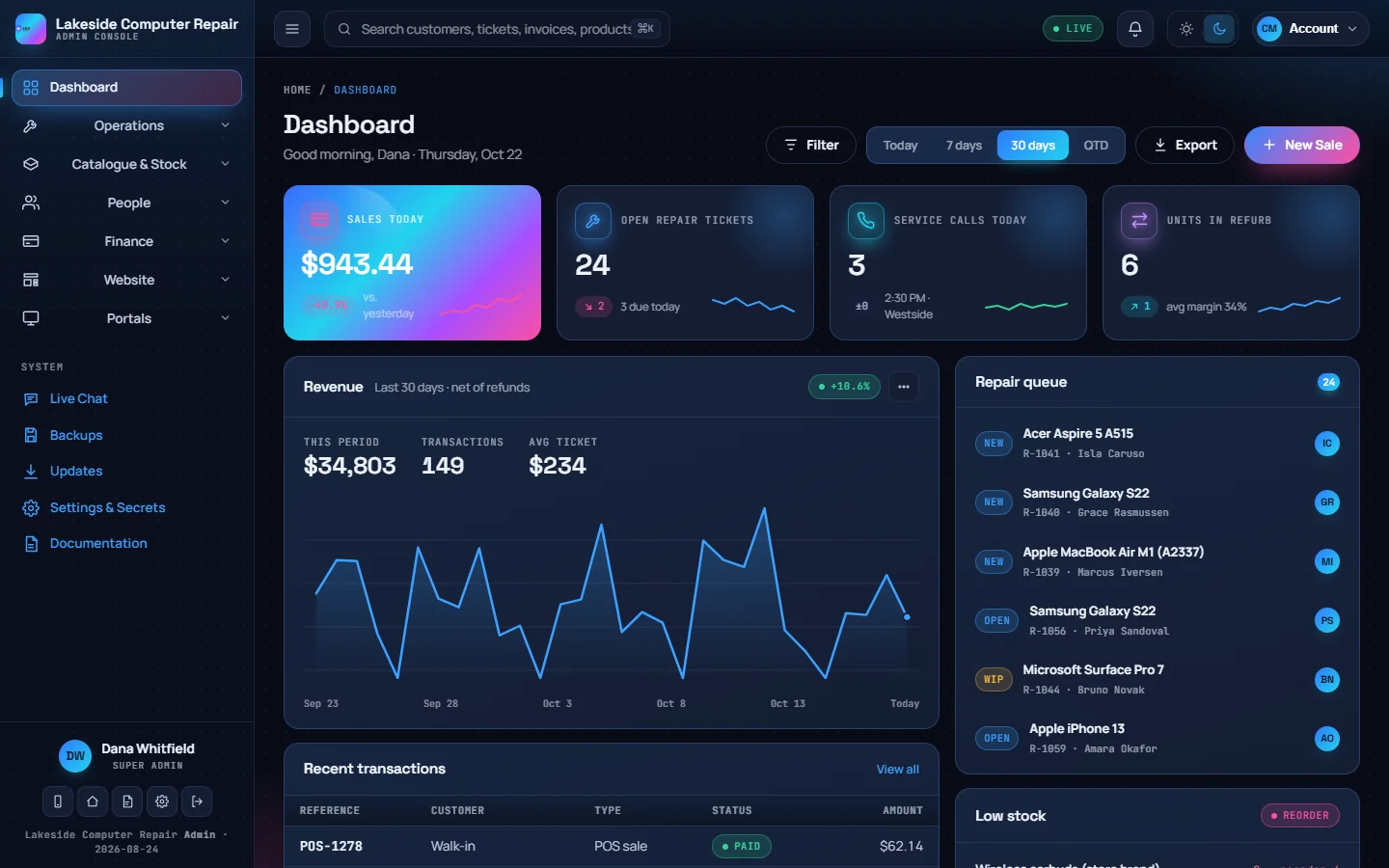
Repair tickets, point of sale, inventory, accounting, payroll, staff and your own website in one app. Pay once, install it on your own server, and put your shop's name on every screen, receipt and email.
- One-time payment
- 1 year of updates included
- PHP 8.4 + MariaDB
- Nginx
Highlights
What CVN ERP does
-
Repairs
A repair board from drop-off to pickup
Each ticket moves through diagnostics, parts, repair and pickup. The customer gets a private tracking link to follow the job and approve the estimate.
-
Point of sale
A register that keeps the books
Every sale posts a balanced journal entry with the tax split out. Split tenders, refunds, gift cards and repair balances go through the same register.
-
Stock
Inventory, purchasing and refurbishing
Reorder points, serial numbers, stock-takes and purchase orders, plus a refurbishing bench that turns trade-ins into graded, priced stock.
-
Money
Accounting and Canadian payroll
Invoices, bills, HST returns and bank reconciliation, with pay runs that work out CPP, EI and federal and Ontario income tax.
-
Website
Your shop's website, built in
A page builder, blog, online store with checkout, booking form and live chat, all reading the same data as the back office.
-
White-label
Your name on everything
Set your business profile once. Your name, logo and details appear in the console, on the storefront, receipts, invoices and every email.
Tour
Real screens from CVN ERP
Taken from a demo install filled with made-up clients. Select a screen to see it full size.
-
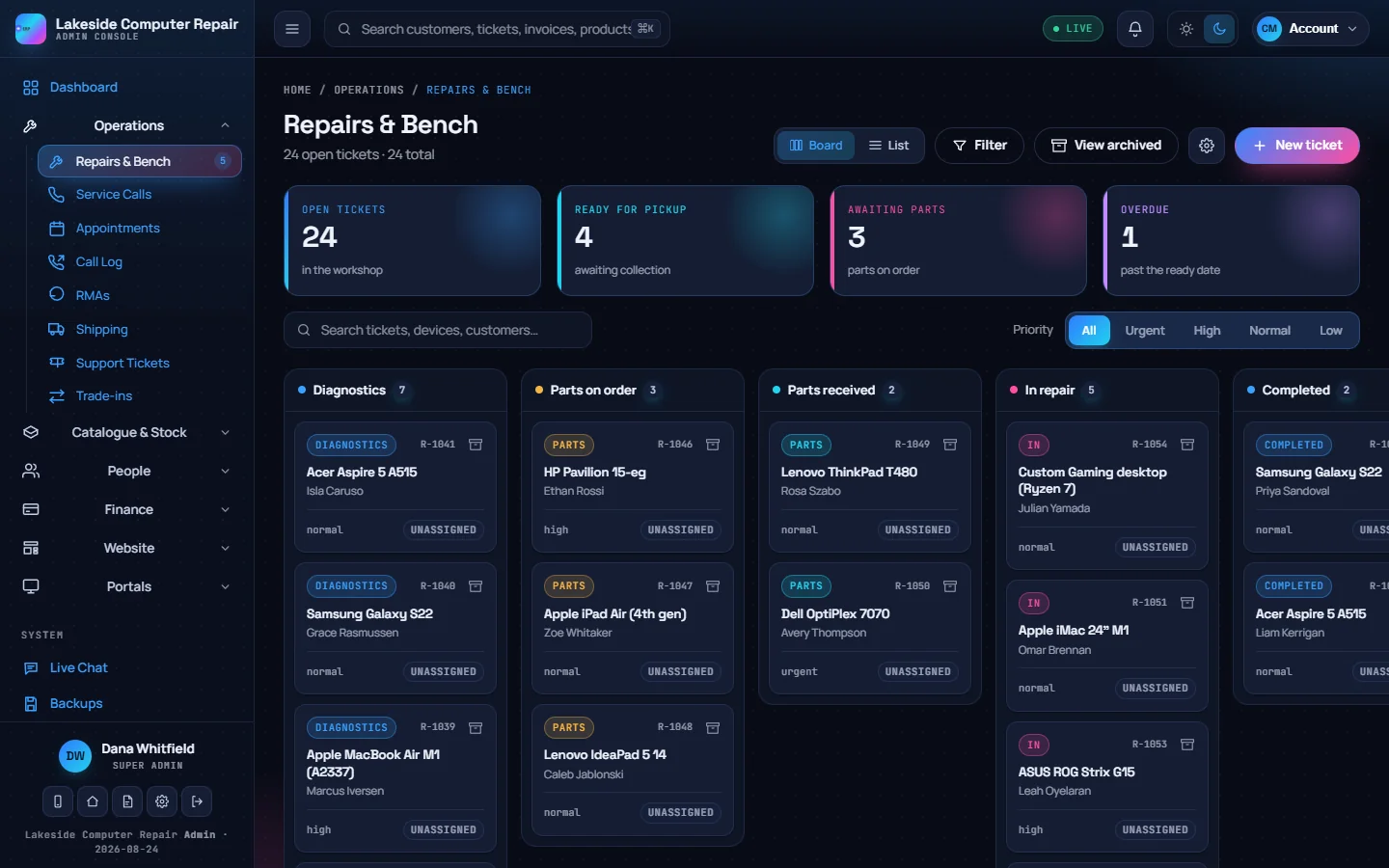
Repairs and bench Every repair ticket on a board by stage, with counts for tickets ready for pickup, parts on order and overdue jobs. -
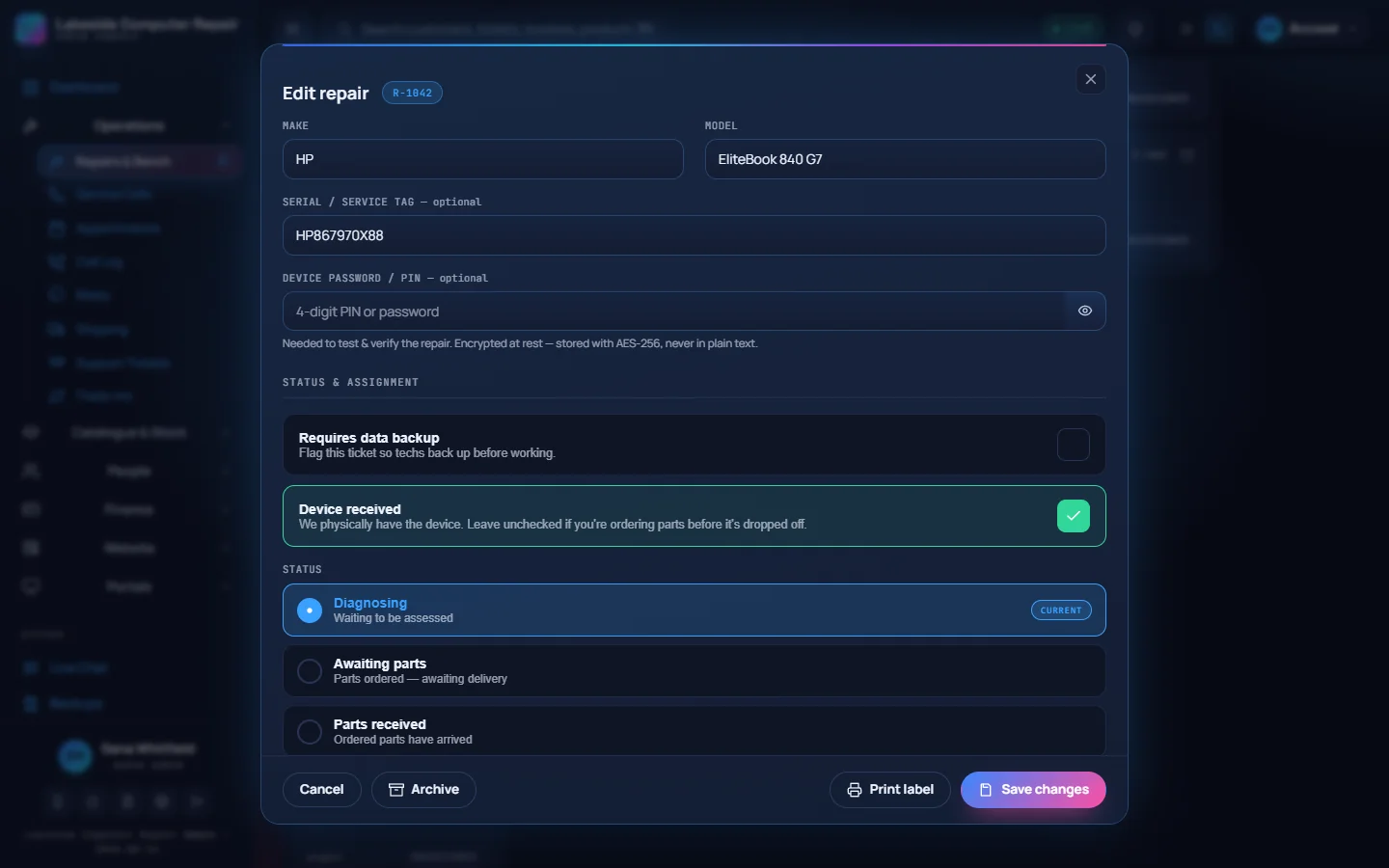
Repair ticket Device, serial number, an encrypted passcode field, the data-backup flag and the status pipeline for one ticket. -
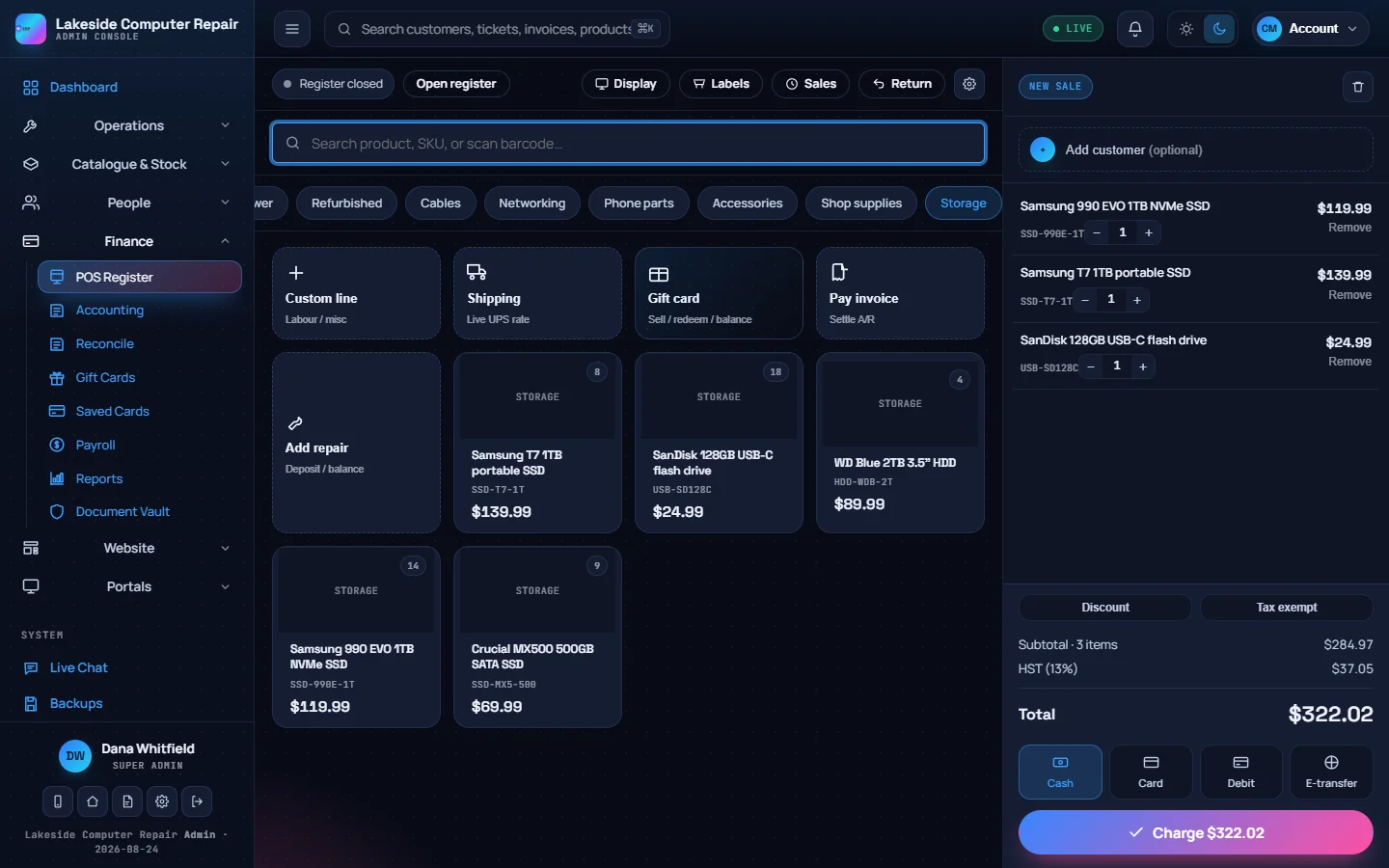
POS register Ring up products, services, gift cards and repair balances. Stock levels show on each tile and HST is added as you go. -
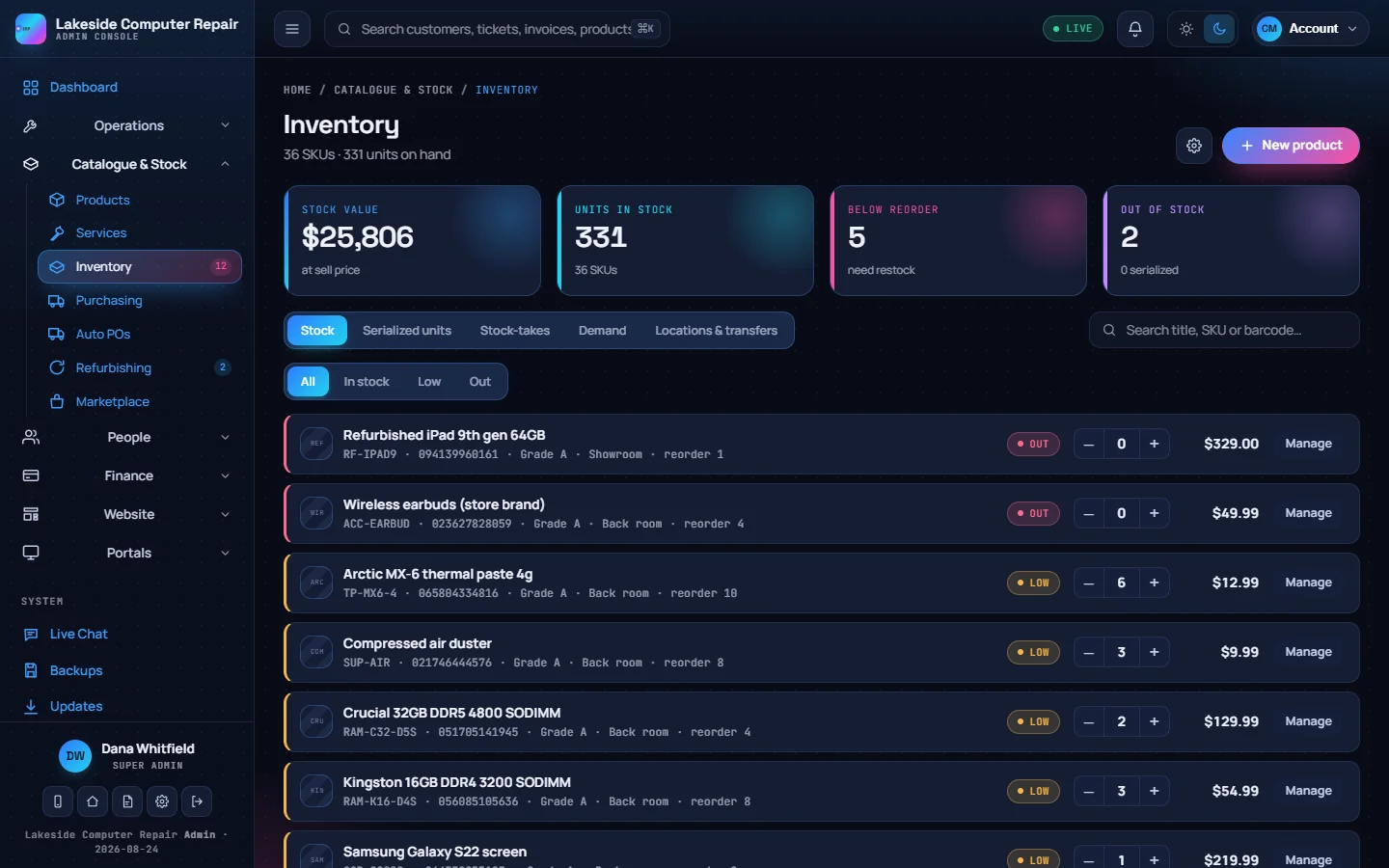
Inventory Stock value, units on hand and the items below their reorder point, with quick adjustments on each row. -
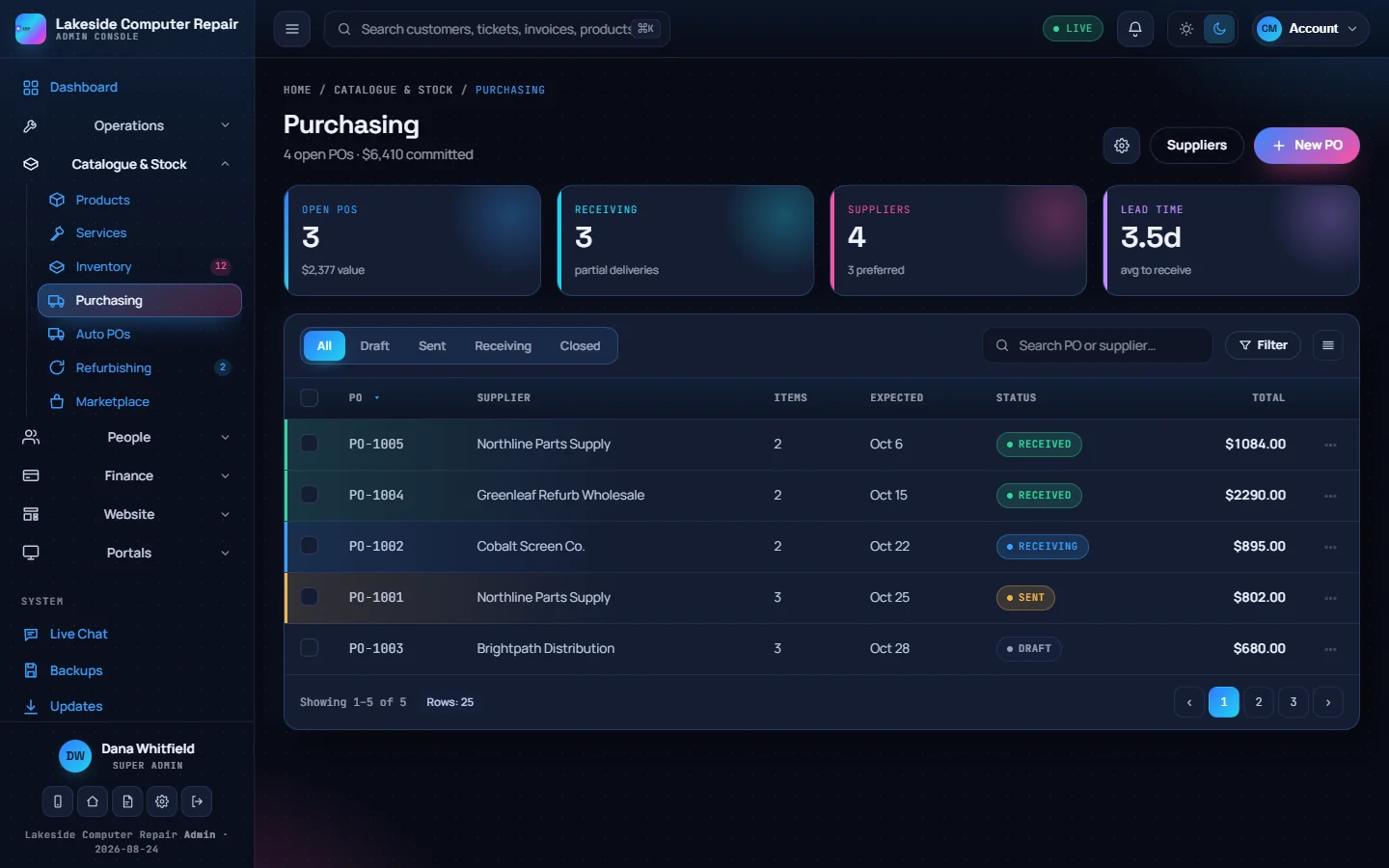
Purchasing Purchase orders from draft to received, with the supplier, expected date and total for each. -
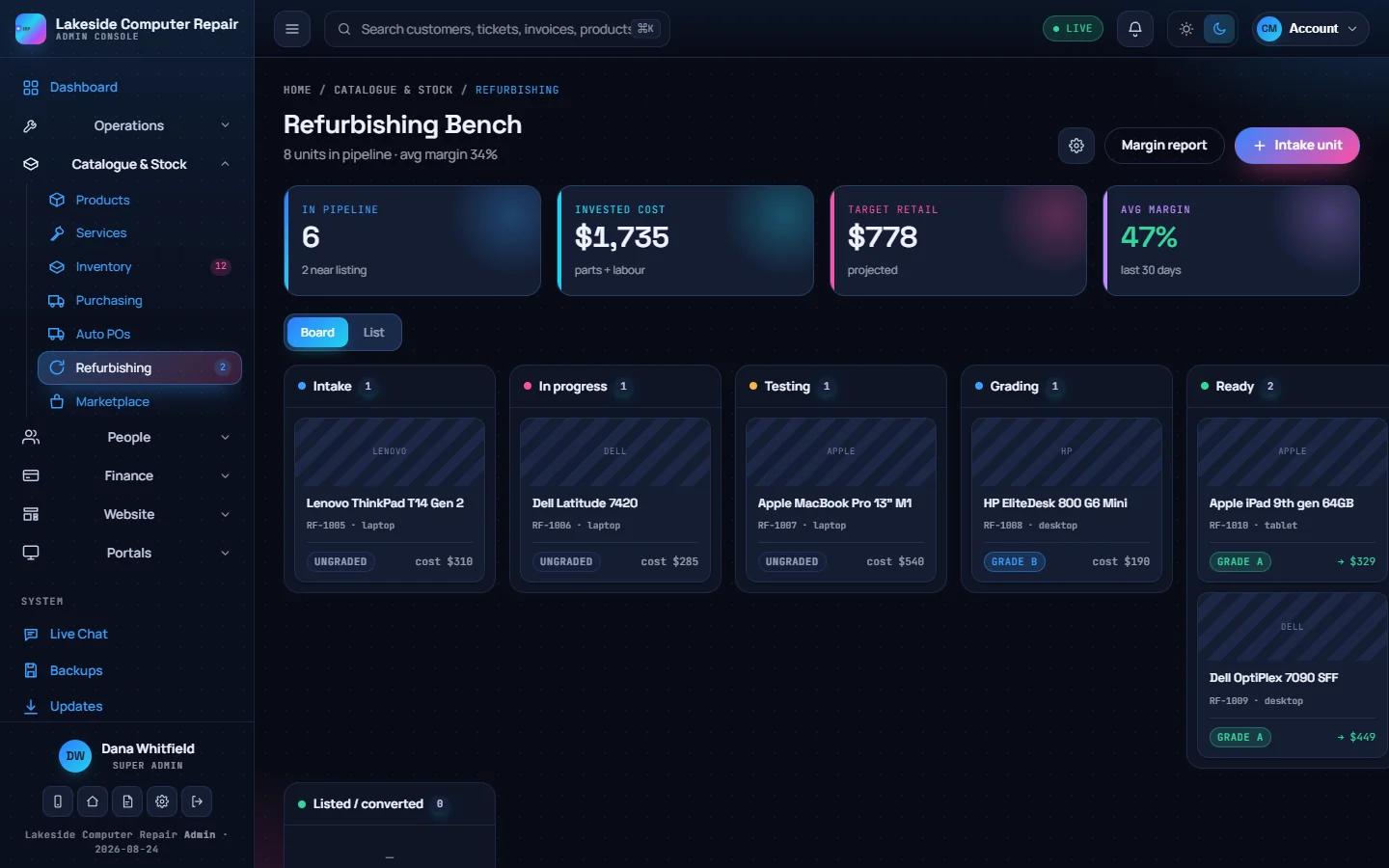
Refurbishing bench Units move from intake through testing and grading to ready for sale, with cost and target price on each card. -
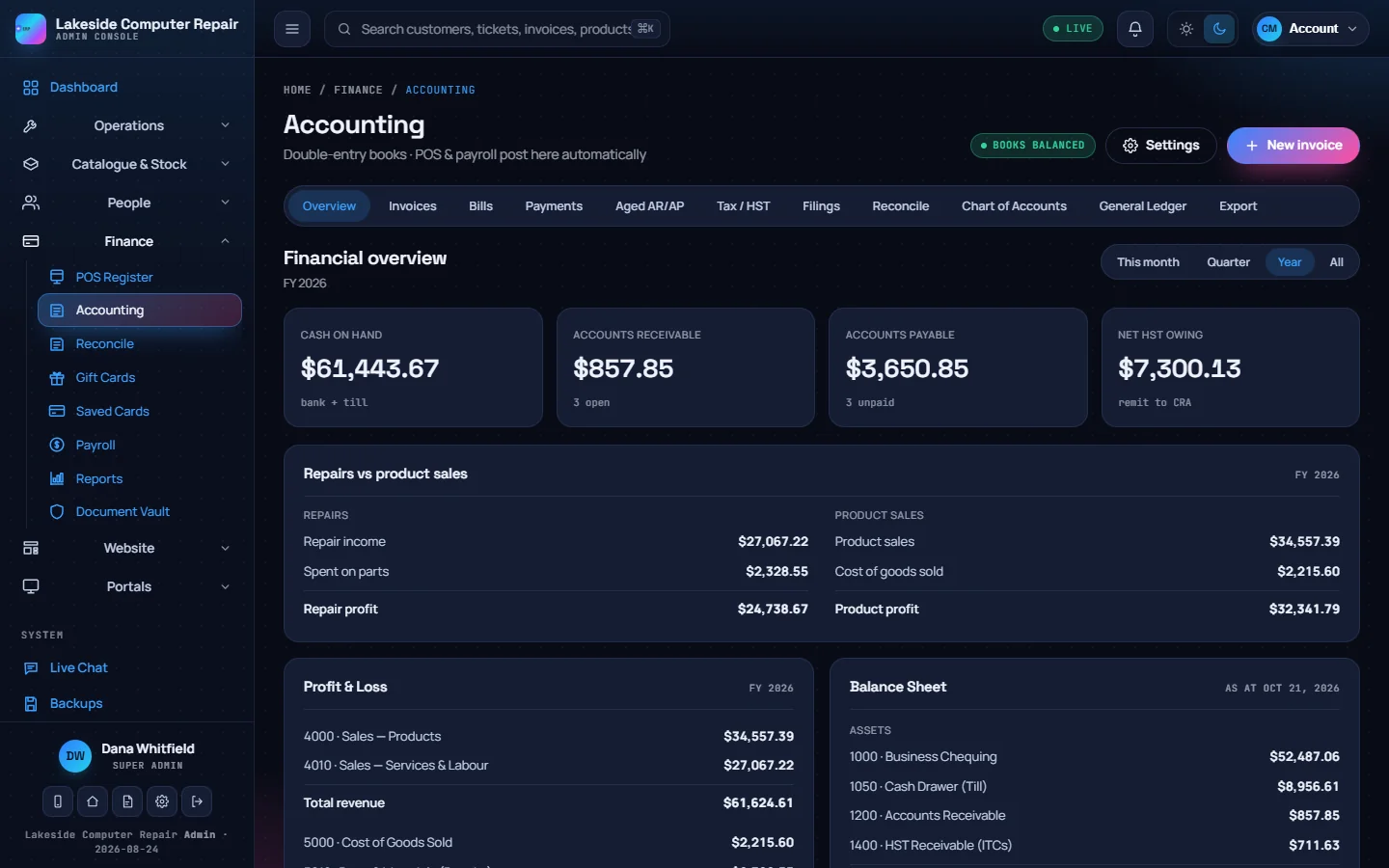
Accounting Double-entry books fed by POS sales, invoices and bills: cash on hand, receivables, payables and HST owing. -
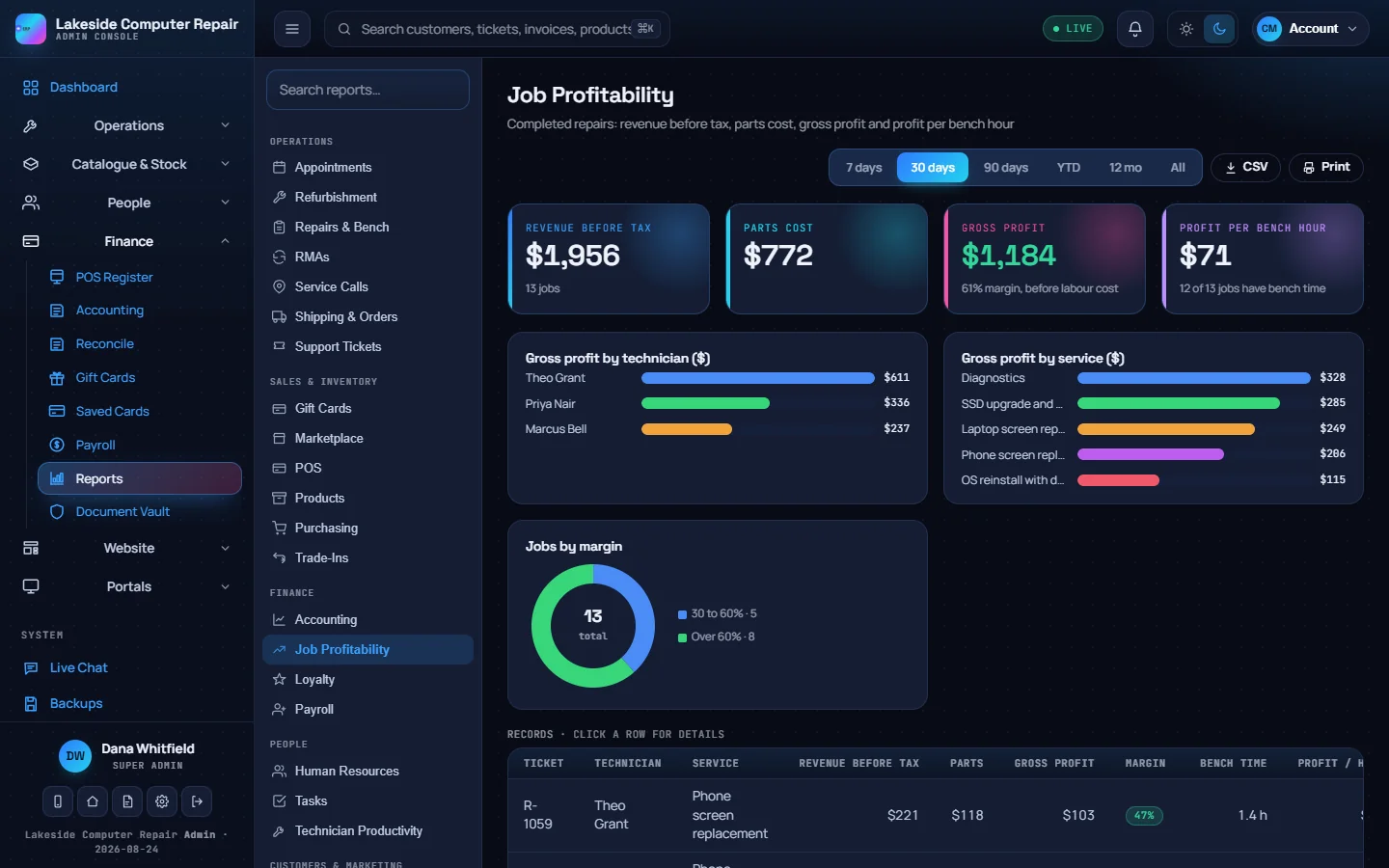
Job profitability report Revenue, parts cost and gross profit for completed repairs, by technician and by service. -
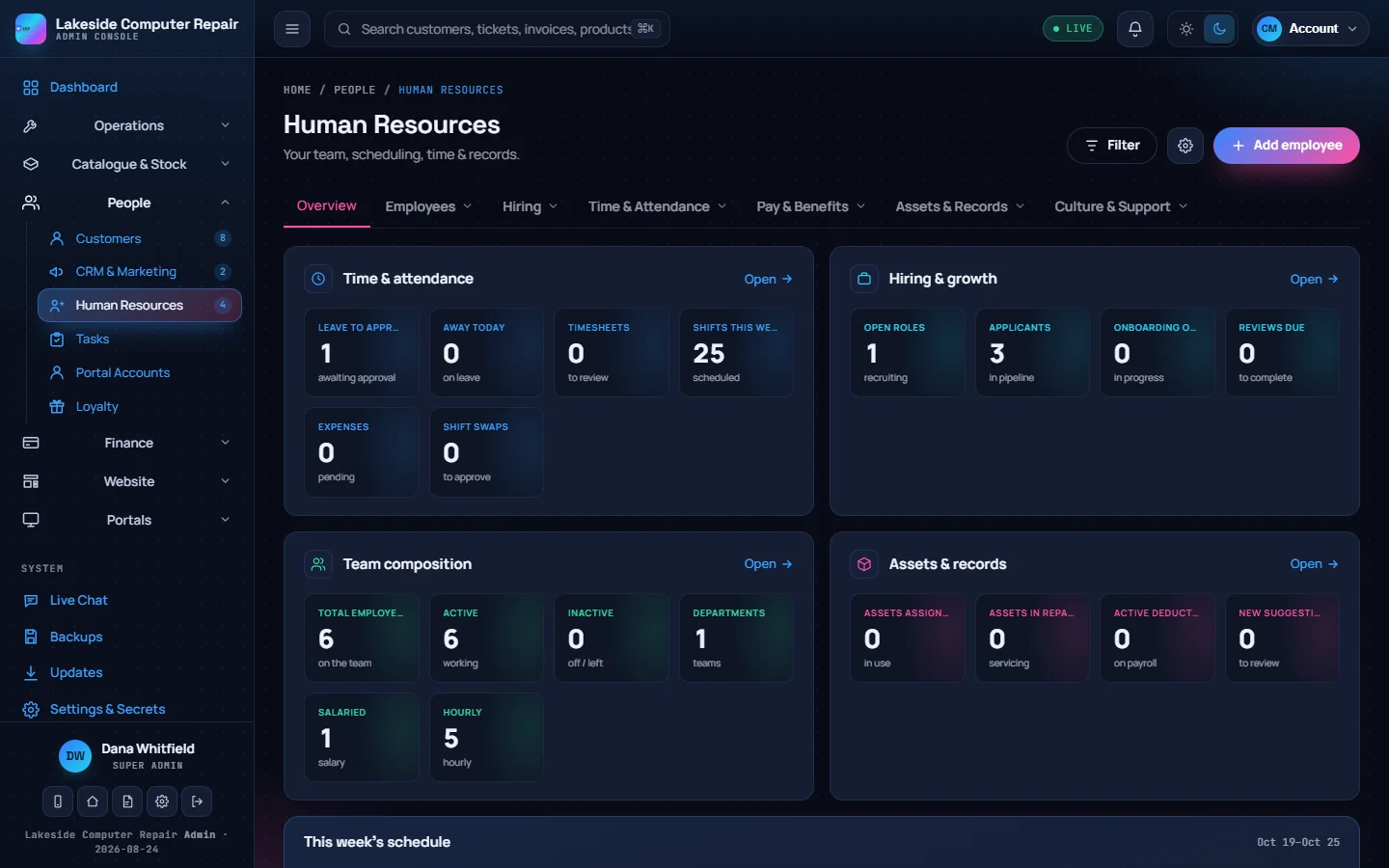
Human resources Time off, shifts, hiring and the team in one place, with payroll on its own screen. -
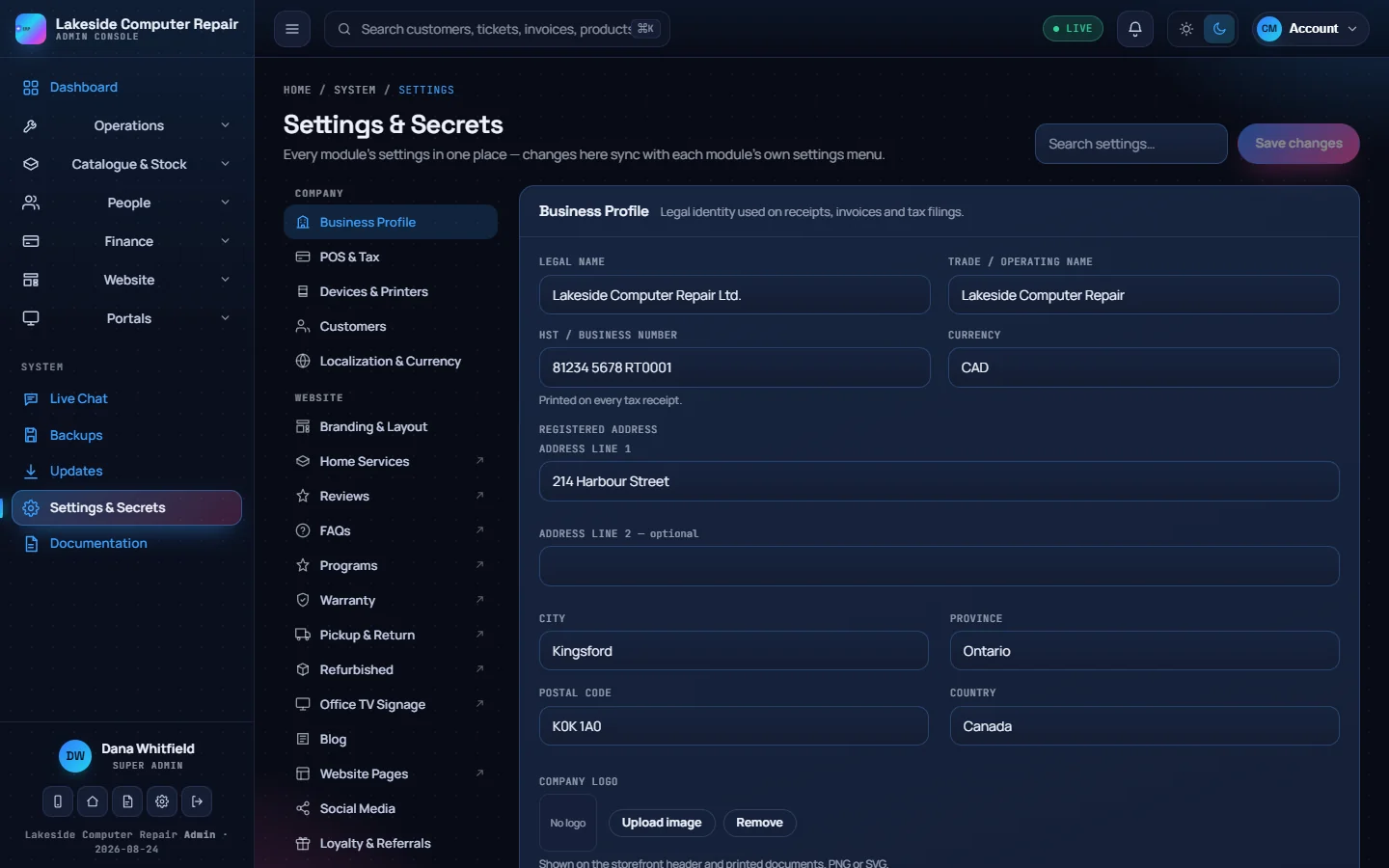
Business profile Your legal name, HST number, address and logo, used on receipts, invoices, emails and your website. -
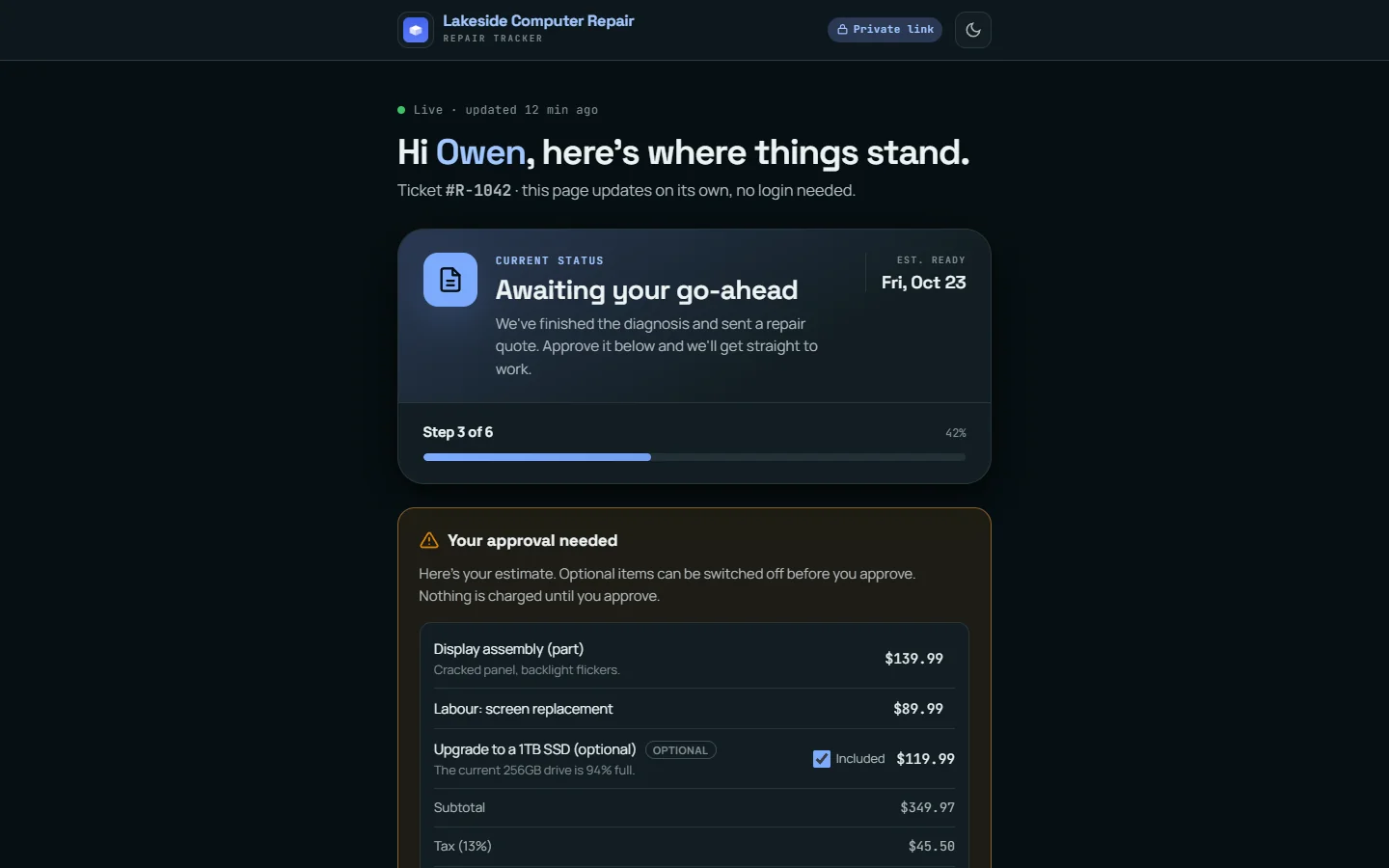
Customer repair tracker A private link where the customer follows the repair and approves the estimate, with optional items, without logging in. -

Your shop's website The built-in storefront lists in-stock products for online checkout with in-store pickup, local delivery or shipping.
On a phone
Your shop on a phone
The admin console has a phone layout, and the repair tracker and storefront your customers use work on any screen.
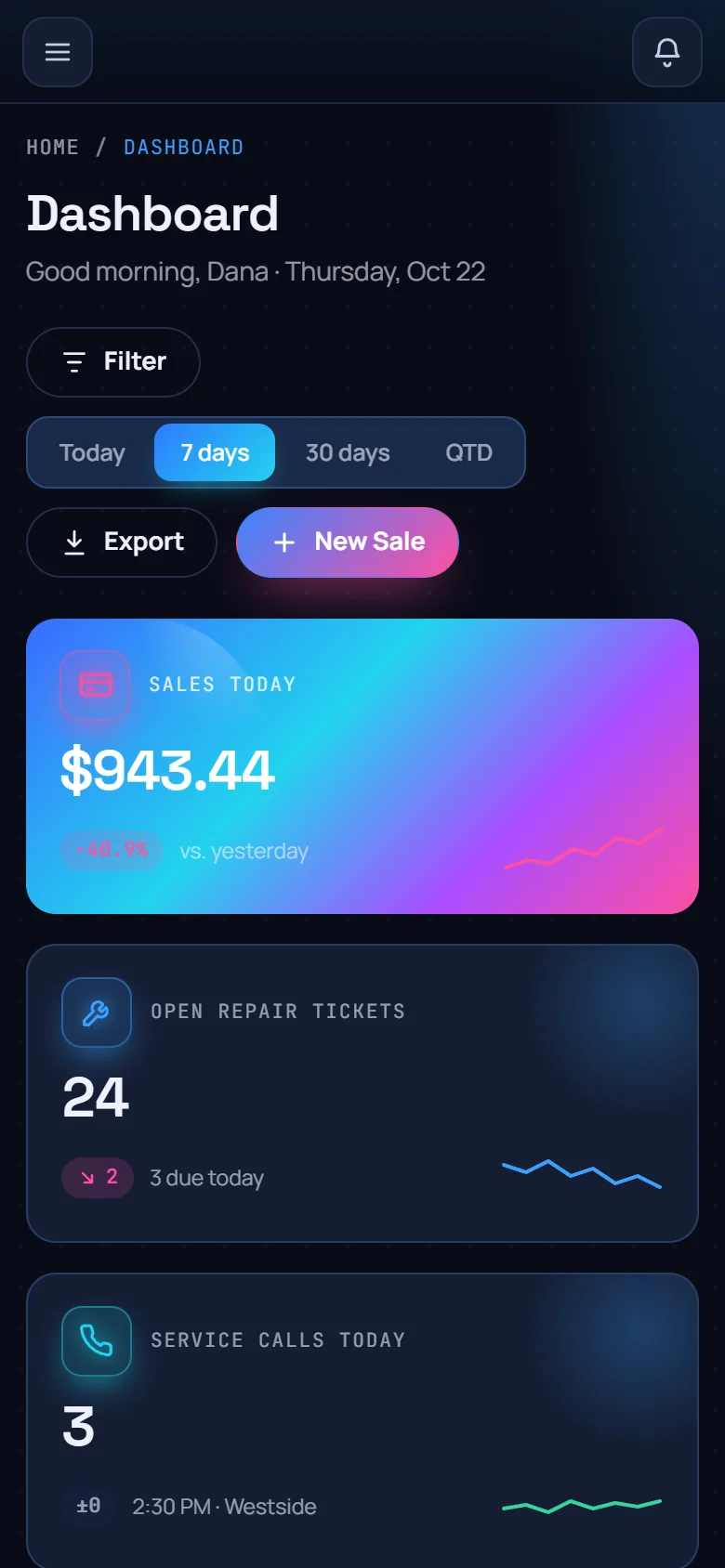
Dashboard on a phone Today's sales and open tickets at a glance. 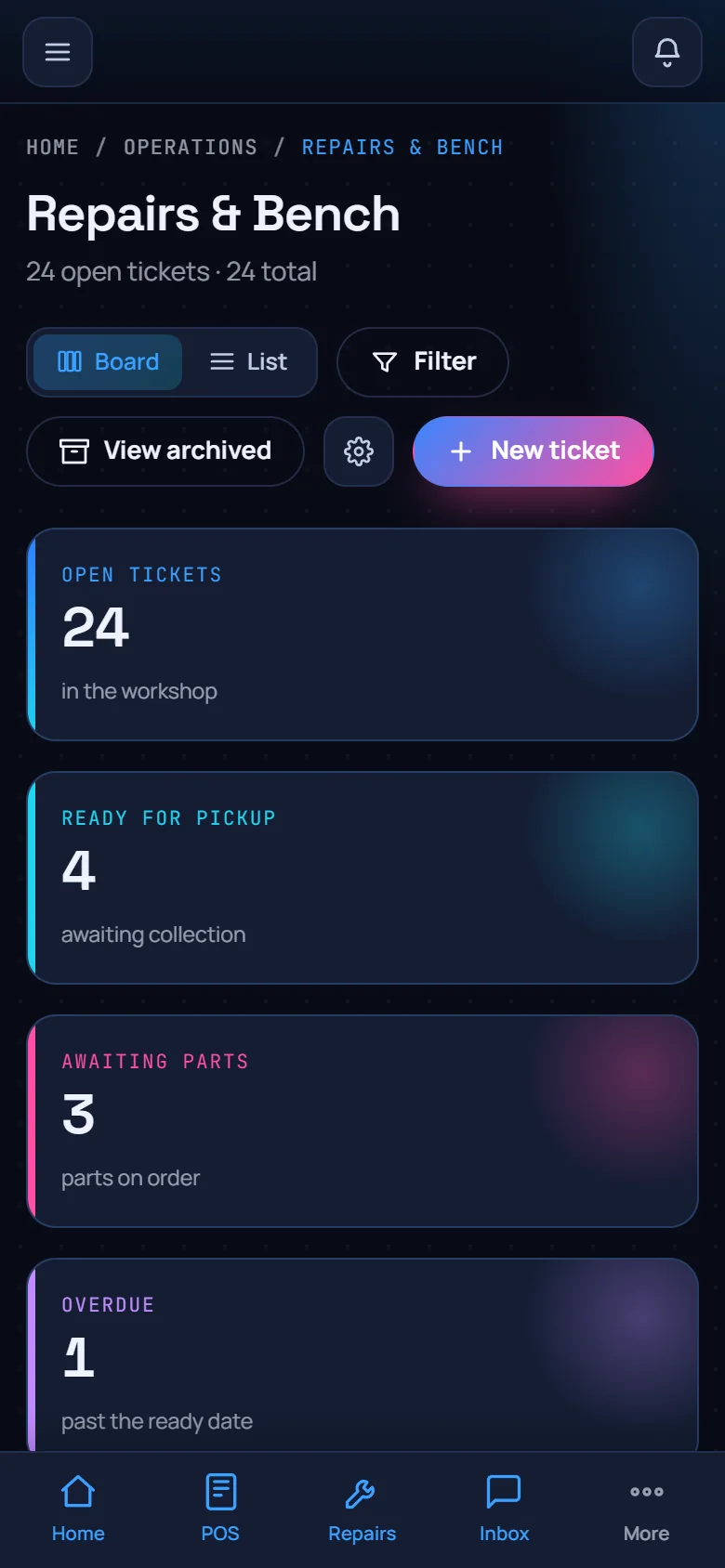
Repairs on a phone Check the bench from anywhere. 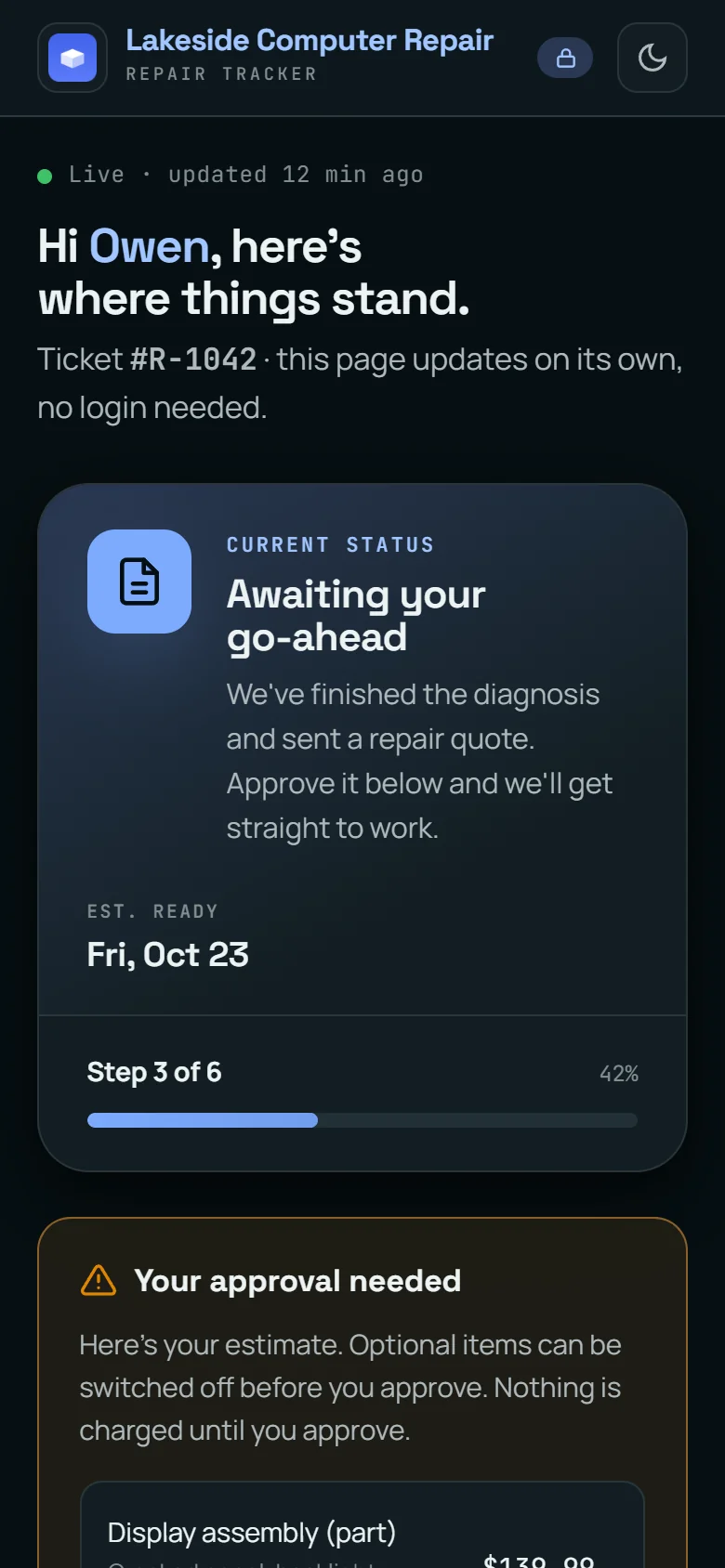
Tracker on a phone What your customers see. 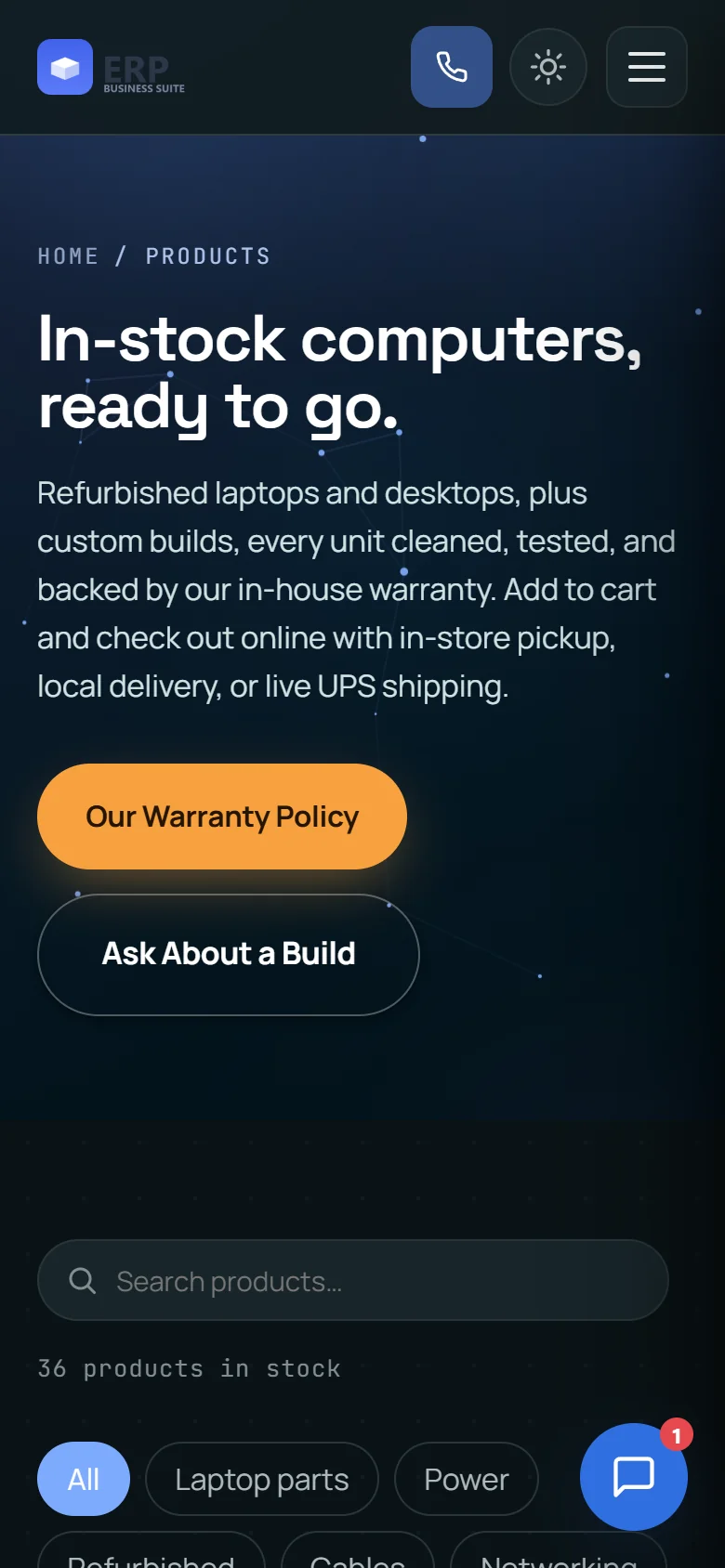
Your website on a phone The storefront works on any screen.
Also from CVN Technologies
More CVN software
Every CVN product is self-hosted, paid for once and carries your brand.
-
CVN PSA
If your shop also looks after business clients on contract, CVN PSA runs the help desk, SLAs, dispatch, contracts and billing for that side of the work.
Visit CVN PSA -
MSP Backups
Encrypted, multi-tenant backup for MSPs, with agents for Windows, macOS, Linux and Proxmox and storage you control.
Visit MSP Backups
Pricing
Launching soon
one price · yours forever · 1 year of updates and support included · renew for more
- Every module, with no per-user or per-location fees
- One production domain plus one staging domain
- 1 year of updates and support included
- Keeps working if you do not renew
FAQ
Questions shop owners ask first
Is CVN ERP for sale yet?
Not yet. It runs a real repair shop every day while we finish it for other shops. Leave your email on the pricing page and we will tell you once when sales open.
What does one licence cover?
One production domain plus one staging domain, with every module included. There are no per-user or per-location fees.
What happens when the year of updates ends?
Your install keeps working on the version it has. Nothing switches off. Renew when you want another year of updates and support.
What do I need to run it?
A server with PHP 8.4, MariaDB 10.5 or newer (or MySQL 8), Nginx with PHP-FPM, and an HTTPS certificate. There is no build step and no Node.js.
Will an update touch my data?
No. Updates replace code only. The updater checks the release signature, backs up the current code first, and leaves your database, uploads and settings alone.
Can I put my own brand on it?
Yes. Your business name, logo and details appear in the console, on the storefront, receipts, invoices and emails.